Device Management (MDM)

Device Management

Device-management platforms administer district-owned computers, tablets, phones, and other endpoints from a central console.

They help technology teams deliver consistent configurations, applications, security controls, and support while respecting privacy and adapting policies for students, employees, shared devices, and specialized programs.

What these systems support

  • Enrollment, configuration profiles, applications, and operating-system updates
  • Security policies, encryption, remote support, lock, and wipe
  • Inventory, compliance, warranty, assignment, and device-health reporting

Note: SDLA does not endorse or resell any of the systems listed on this site.


12 results - showing 1 - 12
Details
Blocksi in a Nutshell

Product Details

Overview

Blocksi is a K–12 web filtering, classroom management, student-safety, and Chromebook oversight platform. It gives district administrators, teachers, and other authorized users role-specific dashboards for controlling web access, viewing student activity, managing classroom browsing, and responding to safety or policy concerns.

Although Blocksi includes device-oriented visibility and controls, its central value is managing student online activity rather than provisioning and maintaining a general endpoint fleet. It fits better in a web filtering, classroom management, or student digital safety category, with a cross-reference from Chromebook management if the catalog supports one.

Product Details

Overview

Chromebook Recovery Utility is a Google-provided Chrome extension used to create recovery media for reinstalling ChromeOS on a Chromebook or related ChromeOS device. A technician runs the utility on a working computer, selects the affected model, and writes the appropriate recovery image to a USB drive or SD card.

This is a repair utility, not a device-management platform: it does not enroll devices, deploy applications, enforce district policy, or maintain fleet inventory. Recovery erases and reinstalls the operating system, so districts should use it as part of a documented break-fix process and protect or back up local information whenever possible.

What is FileWave?

Product Details

Overview

FileWave is a unified endpoint management platform for administering district-owned Apple, Windows, ChromeOS, and Android devices from one console. Technology teams use it to enroll devices, deploy software and settings, maintain inventory, enforce security requirements, and respond to support needs across schools and remote locations.

Its cross-platform approach is useful for districts that want one operational view of a mixed device fleet. FileWave supports ongoing management throughout the device lifecycle, including configuration, application delivery, patching, compliance monitoring, remote actions, and reporting.

Product Details

Overview

Jamf Pro is an Apple-focused endpoint management platform for districts with substantial Mac, iPad, iPhone, Apple TV, and other supported Apple deployments. It helps technology teams automate enrollment, configure devices, distribute applications and updates, maintain inventory, enforce security requirements, and provide approved resources to users.

Compared with education-specific Jamf School, Jamf Pro is built for larger or more complex Apple management environments that need deeper macOS workflows, scripting, integrations, APIs, certificate-based configurations, and delegated administration. It can manage institutionally owned devices as well as supported personally owned enrollment models.

Jamf for Education

Product Details

Overview

Jamf School is a cloud-based Apple device-management platform designed specifically for K–12 environments. It helps district and school staff enroll, configure, inventory, update, and secure institutionally owned Mac, iPad, iPhone, and Apple TV devices while organizing administration around schools, classes, teachers, and students.

The product combines core Apple MDM with education workflows and companion apps for teachers, students, parents, and assessment. It is generally the simpler school-focused Jamf option, while Jamf Pro is intended for organizations that need more complex enterprise workflows, integrations, or macOS administration.

Product Details

Overview

Lightspeed MDM is a cloud-based device-management platform designed for K–12 technology teams. It lets districts enroll and oversee supported Apple, Windows, Android, and ChromeOS devices, distribute applications and settings, and apply policies remotely across schools, grades, classrooms, and individual users.

The product emphasizes hierarchical administration for school systems, allowing central IT to establish district standards while delegating appropriate visibility and control. It also provides inventory, reporting, self-service application access, timed policies, and remote security actions that reduce hands-on work and support device reuse.

Our Mission

Product Details

Overview

Cisco Meraki Systems Manager is a cloud-based endpoint management product for district computers, tablets, phones, and other managed devices. It gives technology teams a centralized inventory and a way to deploy applications, settings, certificates, restrictions, and security policies without physically handling each device.

Systems Manager is especially useful in districts already operating Meraki networks because device and network information can be viewed in the same cloud dashboard. Staff can organize devices and users, automate configuration, monitor compliance, troubleshoot remotely, and lock or erase a device when it is lost or reassigned.

Product Details

Overview

Microsoft Intune for Education is a cloud-based device and application management service for school-owned Windows and Apple devices. It provides a streamlined education portal for enrolling devices, applying settings, distributing applications, protecting district information, and checking whether devices comply with security requirements.

The service uses the broader Microsoft Intune platform underneath its school-focused interface and works naturally with Microsoft 365 Education, Microsoft Entra identity, and Windows deployment services. Districts can use the simpler education workflows for routine administration while retaining access to more advanced Intune capabilities when needed.

How Mosyle helps Cupertino Union School District succeed with a large-scale iPad deployment

Product Details

Overview

Mosyle Manager is an Apple device-management platform built specifically for schools. It gives district technology teams a central place to enroll, configure, inventory, update, and secure Mac, iPad, iPhone, and Apple TV devices while using organizational structures and workflows familiar to K–12 environments.

Current Mosyle education offerings extend beyond basic MDM with options for application patching, macOS identity, web filtering, endpoint security, compliance automation, and classroom controls. Districts can choose among product tiers, so the exact capabilities available depend on the subscription in use.

Product Details

Overview

RemotePC is a hosted remote-access and remote-support service that lets authorized staff connect to computers over the internet. District technology teams can use it to reach unattended office, lab, or staff computers, provide interactive support, transfer files, print remotely, and administer systems without traveling to the device.

RemotePC can assist with endpoint support, but it is not a full device-management platform: it does not provide the broad enrollment, policy, application, compliance, and fleet-lifecycle functions expected from MDM or UEM. It belongs in a Remote Access / IT Support category rather than Device Management.

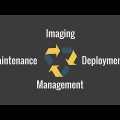
IT Asset Management with SmartDeploy

Product Details

Overview

SmartDeploy is a Windows imaging, provisioning, and endpoint-management product owned by PDQ. District technology teams can use it to create a hardware-independent Windows image, combine it with model-specific driver packages, and deploy operating systems, applications, patches, scripts, and updates to computers on campus or at remote locations.

The platform is particularly useful for preparing new devices, refreshing labs, standardizing mixed PC hardware, replacing failed operating-system layers, and supporting distributed Windows fleets. Its layered approach separates the operating system, drivers, applications, and user data so staff can update or reimage one component without rebuilding every hardware-specific image.

AirWatch Overview - Device Profiles

Product Details

Overview

Omnissa Workspace ONE UEM, formerly VMware AirWatch, is a unified endpoint management platform for enrolling, configuring, securing, and supporting devices across multiple operating systems. District technology teams can use it to apply policies, distribute applications and content, maintain inventory, and monitor whether endpoints meet organizational requirements.

The platform is designed for complex environments that need device management tied to identity, application access, and security controls. It supports both district-owned and personally owned deployment models and can combine endpoint compliance with other Workspace ONE services for access and digital-workspace workflows.

12 results - showing 1 - 12