



Product Details
Certiport is a Pearson VUE business that delivers industry-recognized certification exams and related preparation ecosystems for digital skills, productivity software, information technology, design, entrepreneurship, and other career fields. Schools use authorized testing centers, exam-delivery software, vouchers, practice materials, and reporting to administer credentials.
The service can support staff professional development when employees pursue certifications, but its primary K–12 role is credential testing for students and career-technical programs. It should be cross-listed or moved to Assessment / Certification or College and Career Readiness rather than treated as a general district PD platform.
Product Details
ChatGPT is OpenAI’s general-purpose generative AI assistant for conversation, writing, research, document review, data analysis, coding, image work, and other tasks involving text and files. Users can work through a request conversationally, provide reference materials, and refine the output over multiple exchanges rather than using a collection of separate single-purpose generators.
For education organizations, ChatGPT can support lesson and resource development, communication, tutoring and study workflows, research, administrative drafting, and analysis. Individual plans and institution-managed offerings differ substantially: schools evaluating it should distinguish consumer accounts from managed education or organizational workspaces, especially for identity management, data controls, sharing, and oversight.
Product Details
Choicelunch is a school meal provider and ordering service through which families select and purchase prepared lunches for participating schools. It combines menus, ordering, dietary information, account management, and meal delivery operations.
Unlike cafeteria-management software, Choicelunch provides the meals and associated family ordering experience. It belongs in a distinct Meal Provider / Food Service Vendor category rather than being presented as a district nutrition ERP.
Product Details
Chromebook Recovery Utility is a Google-provided Chrome extension used to create recovery media for reinstalling ChromeOS on a Chromebook or related ChromeOS device. A technician runs the utility on a working computer, selects the affected model, and writes the appropriate recovery image to a USB drive or SD card.
This is a repair utility, not a device-management platform: it does not enroll devices, deploy applications, enforce district policy, or maintain fleet inventory. Recovery erases and reinstalls the operating system, so districts should use it as part of a documented break-fix process and protect or back up local information whenever possible.
Product Details
Cisco Secure Endpoint, formerly Advanced Malware Protection for Endpoints, protects Windows, macOS, Linux, mobile, and other supported endpoints through prevention, file and behavioral analysis, threat intelligence, and endpoint detection and response. It records activity so security teams can trace how a threat entered and what it affected.
The product can isolate hosts, block malicious files, support investigation, and integrate with Cisco XDR and other Cisco security services. District value comes from centralized visibility and response across staff and server endpoints; supported student-device platforms and licensing should be verified separately.
Product Details
Civic Champs is a volunteer-management platform for recruiting, onboarding, scheduling, communicating with, and tracking volunteers. Organizations can publish opportunities, maintain profiles, record attendance and hours, manage events or shifts, and report participation and program impact.
The platform is broadly designed for nonprofits and community programs rather than specifically for K–12 schools. A district may still use it for family engagement, service programs, mentoring, foundations, or community partnerships, but school-specific screening, custody, campus entry, student-data, and emergency needs must be handled through configured integrations or separate procedures.

Product Details
Product Details
Product Details
CK-12 is a free digital learning platform centered on FlexBooks and standards-aligned resources. It is designed primarily for primarily middle- and high-school learners, with content extending into elementary and college-preparatory subjects, with students, teachers, curriculum writers, and families using it to support open textbooks, simulations, practice, adaptive learning, and customizable stem resources.
Teachers can adopt, remix, and assign digital texts, interactives, questions, simulations, and practice while students use them for instruction, reference, or review. The product should be evaluated for the specific learners, instructional setting, and intensity of support a district intends—not simply as another source of digital activities.
Product Details
Class Composer is an elementary class-placement tool that helps school teams create balanced classroom rosters for the next school year. Educators enter or import student characteristics, relationships, services, academic information, and placement considerations, then compare proposed class groupings.
The product supports the internal placement of already enrolled students; it does not collect family registration forms or establish SIS enrollment. It belongs under Student Scheduling / Class Placement and should be moved after the district relationships are retained.

Product Details
ClassDojo is a classroom community and family-engagement platform used by teachers to share messages, photos, videos, announcements, events, and student learning updates with families. It also provides classroom tools for feedback, routines, portfolios, and schoolwide communication.
Its primary role is ongoing teacher-family connection rather than district-scale emergency notification. Families can use mobile or web access, communicate privately with teachers, receive translated messages, and follow classroom or school stories, while school leaders can coordinate accounts and schoolwide posts.
Product Details
Product Details
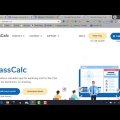
ClassCalc is a calculator application with teacher-managed test mode. It is designed primarily for secondary and postsecondary mathematics students needing scientific, graphing, statistics, or matrix calculation, with students, mathematics and science teachers, assessment coordinators, and technology staff using it to support calculation, graphing, statistics, mathematical exploration, and controlled test use.
Students use web or mobile calculators for coursework while educators can restrict functions during assessments and demonstrate calculations. The product should be evaluated for the specific learners, instructional setting, and intensity of support a district intends—not simply as another source of digital activities.
Product Details
Classera LMS is a cloud learning platform for schools, universities, government, and training organizations. Its education environment combines course content, assignments, quizzes, discussion, communication, gradebook, attendance, digital libraries, virtual meetings, portfolios, analytics, and administrative tools.
The Premium edition adds advanced assessment, adaptive learning, automation, and other capabilities within Classera’s broader Learning Super Platform. Because the company serves multiple international markets and institutional types, California districts should verify U.S. K–12 implementation, privacy, accessibility, support, SIS, identity, and data-export requirements.
Product Details

Product Details
ClassK12 is a gamified practice, assignment, and assessment platform. It is designed primarily for K–12 students practicing mathematics and English language arts skills, with students, teachers, and families using it to support standards-aligned practice, assignments, quizzes, and formative checks.
Teachers select or create activities and students receive digital practice with immediate results; available evidence suggests a supplemental role rather than a complete curriculum. The product should be evaluated for the specific learners, instructional setting, and intensity of support a district intends—not simply as another source of digital activities.
Product Details
ClassLink is a K–12 access, rostering, identity-management, and application-analytics platform. LaunchPad gives students and staff a role-based single sign-on portal; Roster Server distributes SIS roster data to learning applications; OneSync automates account and group changes; and Analytics+ helps districts understand application use.
The products are designed to work as a shared connection layer across a district's technology environment. ClassLink can import SIS and directory data, transform it to the OneRoster standard, send only approved fields to vendors, support SAML, OAuth, and LTI access, and connect cloud storage and other school resources. This lets districts add or change applications without rebuilding a separate login and roster process each time.
Product Details
classroom.cloud is a three-part K–12 platform for classroom management, student safeguarding, and basic IT device management. Teachers use it to view student screens, share content, control applications and web access, communicate, and keep students focused; safeguarding teams monitor concerning activity and student-submitted concerns; technology staff manage supported classroom devices and settings.
Because those functions serve teaching, student safety, and IT operations as distinct district responsibilities, classroom.cloud meets the original Integrated Systems concept more directly than most listings in this category. It should also be cross-listed with Classroom Management, Student Safety/Monitoring, and Device Management.
Product Details
Classworks is a K–8 intervention and personalized-learning platform. It is designed primarily for elementary and middle-school students needing targeted intervention, special-education support, or differentiated practice, with teachers, interventionists, special educators, MTSS teams, students, and administrators using it to support screening, individualized learning paths, progress monitoring, and instructional intervention.
Assessment data can generate individualized skill sequences while educators monitor progress and provide direct instruction within MTSS or special-education plans. The product should be evaluated for the specific learners, instructional setting, and intensity of support a district intends—not simply as another source of digital activities.

Product Details
Clever is a K–12 digital access and data-integration platform that connects district SIS information with learning applications. Secure Sync Rostering keeps student, teacher, section, school, and enrollment data current in participating products, while the Clever Portal and SSO give users one role-based place to open assigned resources.
Clever is built around working with other products. Districts establish a source connection to the SIS, approve the applications and fields each vendor may receive, and let Clever continuously update accounts and rosters. Participating applications integrate with Clever's rostering API and SSO; newer Clever identity services can also provision Google Workspace, Active Directory, and Microsoft Entra ID accounts.