Managed File Transfer

Managed File Transfer

Managed file-transfer platforms move sensitive or high-volume files between trusted people and systems through controlled, monitored processes.

For districts, they provide a safer and more auditable alternative to informal email attachments or unmanaged file transfer, especially when exchanging student, employee, finance, assessment, or state-reporting data.

What these systems support

  • Encrypted transfer, secure portals, automated delivery, and partner connections
  • Authentication, permissions, expiration, integrity checks, and malware scanning
  • Scheduling, retries, alerts, audit logs, retention, and compliance reporting

Note: SDLA does not endorse or resell any of the systems listed on this site.

5 results - showing 1 - 5
Easy and Secure File Sharing with Hightail for Enterprise

Product Details

Overview

OpenText Hightail is a large-file sharing and creative collaboration service. Users send files through links, collect uploads, organize project spaces, preview visual media, compare versions, gather comments and approvals, and control access with permissions, passwords, and expiration dates.

Hightail can solve secure ad hoc transfer needs, particularly for communications, design, video, and media teams, but it is not primarily a district system-to-system MFT platform. It fits better as secure collaboration or digital-media workflow unless a district confirms that it relies on Hightail as its formal managed-transfer service.

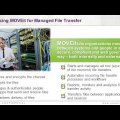
01  - Why Managed File Transfer?

Product Details

Overview

Progress MOVEit Transfer is the current successor to the Ipswitch file-transfer listing. It provides centrally administered secure exchange for browser users, applications, external partners, and automated workflows using HTTPS, SFTP, FTPS, APIs, shared folders, mailboxes, and optional ad hoc transfer tools.

Districts can use MOVEit to move regulated student, employee, finance, and operational data while enforcing encryption, authentication, permissions, retention, and audit policies. Because managed-transfer infrastructure is security-sensitive, teams must maintain supported releases promptly, monitor vendor advisories, test upgrades, and restrict exposed services.

Introduction to SafeSend - Preventing accidental data leakage and improve security awareness

Product Details

Overview

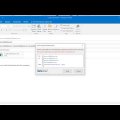
SafeSend One is a document collection, e-signature, client portal, tax-return delivery, and workflow-automation platform built specifically for tax and accounting firms. SafeSend Exchange within the suite provides encrypted file delivery, secure upload links, authentication, expiration, reminders, and Outlook-based exchange.

The secure-transfer component could be used for sensitive files, but the current product’s primary purpose is tax-practice workflow rather than K–12 managed file transfer. Unless a district confirms an active accounting-office use case, this record should move to a specialty finance or miscellaneous category rather than remain alongside general-purpose MFT platforms.

Product Details

Overview

ShareFile is a secure cloud platform for exchanging, collecting, storing, approving, and electronically signing documents with staff and outside parties. District teams can use controlled links, upload requests, portals, folders, and desktop or Microsoft integrations instead of sending sensitive records as ordinary email attachments.

The product is strongest for user-driven document collaboration and client-style workflows rather than high-volume system-to-system data exchange. Districts should evaluate identity controls, retention, data location, audit exports, encryption, e-signature licensing, and whether automated MFT functions are required in addition to secure sharing.

How to Send Files with Virtru Secure Share

Product Details

Overview

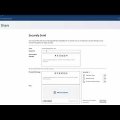
Virtru Secure Share is a browser-based encrypted file-sharing service for sending and requesting sensitive information inside or outside an organization. Recipients can verify their identity without installing software, while data owners retain controls such as revocation, expiration, watermarking, access restrictions, and activity visibility.

For school districts, the service can protect exchanges involving student records, transcripts, health documents, IEP information, personnel files, legal material, and large files that should not travel as normal attachments. Optional integrations extend Secure Share into Google Drive, Microsoft OneDrive, SharePoint, Teams, and Zendesk.

5 results - showing 1 - 5