Accelerated Reader
6
Overview
- Overview
-
Accelerated Reader is Renaissance’s independent-reading practice and monitoring program. Students select books, read independently, complete short quizzes, and build a reading history while educators monitor participation and comprehension patterns. Reading history links a student with selected books and quiz activity. Teachers combine that evidence with observation and discussion when planning independent reading and additional literacy support.
Features
- Features
-
Audience and instructional role
Grades / learners
Independent readers, K–12, including emergent bilingual learners
Primary users
Students, classroom teachers, librarians, reading staff, and families
Learning focus
Reading volume, book choice, comprehension checks, and reading motivation. Renaissance’s independent-reading practice and monitoring program.
How it supports learning
- Students choose books and read independently, with recommendations based on interests and reading level or the option to browse the full library.
- After each book, a short quiz confirms the student read it. Literacy-skills and vocabulary quizzes are also available.
- Personalized reading goals let teachers monitor progress, and growth reports are available to teachers, students, and families.
- The library holds more than 220,000 quizzes, including over 15,000 in Spanish and 500+ nonfiction articles, with new science and social studies quizzes added for lower and middle grades.
- Students can take quizzes in English or Spanish, and biliteracy reports let teachers set goals and track progress in both languages.
- Every quiz offers full audio, so students can hear each question and answer choice.
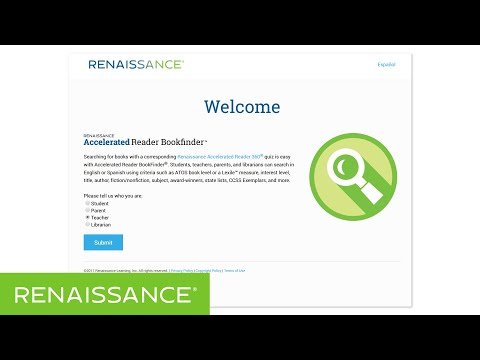
- AR Bookfinder searches by title, author, topic, and language. Home Connect lets families follow progress and talk about goals.
Implementation and instructional decisions
- It supplements a literacy program. It should not replace core instruction or authentic discussion of texts.
- Quizzes show that a book was read and understood at a basic level. Pair results with teacher judgment rather than treating points or completion as evidence of learning.
- Star Reading data informs book choices in AR, and myON books appear at the matching reading level.
- Sign-in is available through Google, Microsoft, and Clever. Rostering is by manual entry, Clever sync, or Renaissance’s Custom Data Integration service, which updates nightly.
- Districts should confirm accessibility and language support, student-data practices, assignment workflow, reporting, and which edition and licensing they have.
Feature details reflect Renaissance’s published product information as of November 2026. See Renaissance’s Accelerated Reader page for current details.
Student Data Privacy
- Student Data Privacy
-
Review the Common Sense Privacy Rating:
N/A
Accelerated Reader Privacy Policy:
https://www.renaissance.com/privacy/
Signed California Student Data Privacy Agreement?
Yes
Company News
- Company News
Professional Development
- Professional Development
-
Interoperability
Sign-on, rostering, and file exchange methods
Select a connector to see every product that supports it.
Quick Start Guide
- Quick Start Guide
Accelerated Reader (AR) is software for K-12 schools for monitoring the practice of reading. It was created by Renaissance Learning, Inc. There are two versions: a desktop version and a web-based version in Renaissance Place, the company's online portal. Renaissance Accelerated Reader products equips teachers with unparalleled insight into independent reading practice, research-proven goal setting tools, activities that span a variety of skills and text types, and a worldwide community of support. Students enjoy endless choice and the agency required to truly fall in love with reading, achieve mastery, and grow.
Accelerated Reader (AR) is software for K-12 schools for monitoring the practice of reading. It was created by Renaissance Learning, Inc. There are two versions: a desktop version and a web-based version in Renaissance Place, the company's online portal. Renaissance Accelerated Reader products equip teachers with unparalleled insight into independent reading practice, research-proven goal setting tools, activities that span a variety of skills and text types, and a worldwide community of support. Students enjoy endless choice and the agency required to truly fall in love with reading, achieve mastery, and grow.
Note: SDLA does not endorse or resell any products listed on the site. They are listed simply to aid in the development of integration resources for school district ed-data leaders.
Media
Videos