Impero
Overview
- Overview
-
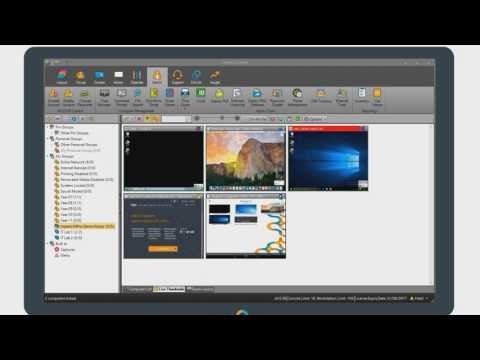
Impero Education Pro combines classroom management, device visibility, web control, and student-safety monitoring for K–12 environments. Teachers can view and guide student screens, while authorized administrators can apply internet controls, review activity, and investigate signals that a student may need support.
Teachers’ live classroom controls and administrators’ safety review have different purposes. Identity, class membership, device assignment, and staff permissions determine which activity each role can see and act on.
Features
- Features
-
Classroom management
- Lets teachers view screens, focus attention, share content, message students, and control web activity during class.
Student wellbeing
- Detects configured keywords or concerning activity and routes alerts to authorized safeguarding staff.
Device and web oversight
- Provides device information, activity visibility, and policy controls across supported operating systems.
Role-based administration
- Separates teacher, technology, and safeguarding access while supporting reports and incident workflows.
Student Data Privacy
- Student Data Privacy
-
Review the Common Sense Privacy Rating:
N/A
Impero Privacy Policy:
https://www.ativion.com/legal/privacy-policy/
Signed California Student Data Privacy Agreement?
No records found in SDPC Registry
Company News
- Company News
Interoperability
Sign-on, rostering, and file exchange methods
Select a connector to see every product that supports it.
Note: SDLA does not endorse or resell any products listed on the site. They are listed simply to aid in the development of integration resources for school district ed-data leaders.
Media
Videos