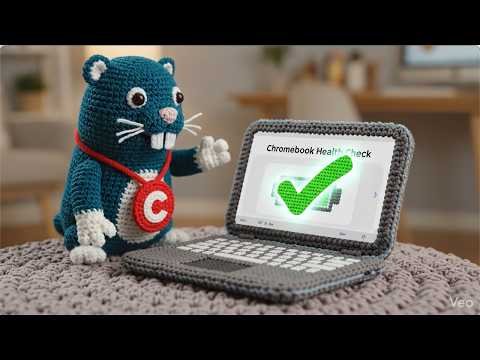
Gopher for Chromebooks
Overview
- Overview
-
Gopher for Chrome is a Chromebook administration and reporting tool from CDW Amplified for Education. It brings managed-device data from Google Admin Console into a Google Sheets add-on and companion web application so Google administrators can find devices, analyze the fleet, change metadata or organizational units, and perform common bulk actions without handling each Chromebook individually. District IT teams use it for fleet maintenance and device reporting.
Device metadata and organizational units connect Google administration with local inventory work. IT staff reconcile bulk updates with actual custody and location so reporting reflects the school fleet. Configuration and assignment are related but different records. Device administrators coordinate those sources with identity and inventory owners when school or user circumstances change.
Features
- Features
-
Device inventory and search
- Loads managed Chromebook records from Google Admin Console, a device cache, or selected identifiers into a structured Google Sheet.
- Supports search and filtering by serial number, asset ID, device ID, organizational unit, status, model, user, and other available fields.
Bulk administration
- Updates annotated user, location, asset ID, notes, status, and organizational-unit information across selected devices.
- Supports bulk profile clearing, disabling, re-enabling, and deprovisioning with administrator review.
Fleet reporting
- Provides device-usage, ChromeOS-version, Auto Update Expiration, organizational-unit, and domain-level reports.
- Helps administrators identify devices that need updates, replacement, reassignment, or follow-up.
Premium telemetry
- Gopher Buddy can collect session duration, user, IP address, ChromeOS version, battery health, and storage telemetry from managed devices.
- The companion web app provides device search, cached fleet views, and selected editing workflows.
Google Workspace administration
- Uses Google Admin and Drive APIs and supports delegated administrators with the required privileges.
- Districts should confirm API access, Marketplace allow-listing, data-retention practices, premium licensing, and the vendor's migration schedule.
Student Data Privacy
- Student Data Privacy
-
Review the Common Sense Privacy Rating:
N/A
Gopher for Chromebooks Privacy Policy:
https://www.amplifiedit.com/privacy-policy/
Signed California Student Data Privacy Agreement?
No records found in SDPC Registry
Company News
- Company News
Interoperability
Sign-on, rostering, and file exchange methods
Select a connector to see every product that supports it.
Note: SDLA does not endorse or resell any products listed on the site. They are listed simply to aid in the development of integration resources for school district ed-data leaders.
Media
Videos