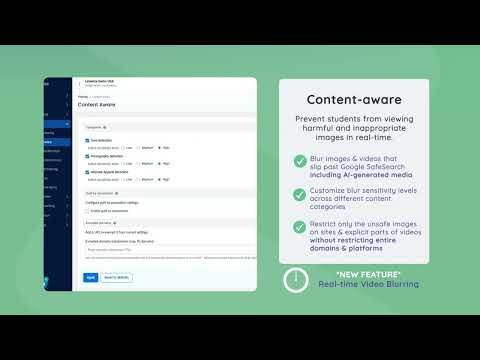
Linewize Filter
Overview
- Overview
-
Linewize Filter applies web-access policies across supported school networks and managed devices. District technology teams manage content restrictions, review browsing reports, and investigate access issues. Central policies support consistent internet filtering as students move between classrooms and other supported locations.
A policy decision needs context about the requesting user, device, and site. Technology staff reconcile those relationships when resolving blocked learning resources or investigating attempts to bypass access rules. Policy enforcement and student-support decisions have different owners. Browsing data needs appropriate access and context when used beyond troubleshooting or access administration.
Features
- Features
-
Hybrid web filtering
- Applies content and application policies across school networks, cloud connections, and supported off-campus devices.
User-aware controls
- Uses directory and device context for policies by school, group, user, time, and location.
Reporting and alerts
- Shows web activity, blocked requests, searches, applications, circumvention, and network health.
Suite integration
- Works with Linewize Monitor, Classwize, EdTech Manager, and family controls when licensed.
Student Data Privacy
- Student Data Privacy
-
Review the Common Sense Privacy Rating:
N/A
Linewize Filter Privacy Policy:
https://qoria.com/privacy
Signed California Student Data Privacy Agreement?
No records found in SDPC Registry
Company News
- Company News
Interoperability
Sign-on, rostering, and file exchange methods
Learning Management System Connectivity
Select a connector to see every product that supports it.
Book a demo: https://www.linewize.com/demo
Note: SDLA does not endorse or resell any products listed on the site. They are listed simply to aid in the development of integration resources for school district ed-data leaders.
Media
Videos