



Wayfinder Quick Start Guide
Turn a district-wide social-emotional and future-ready curriculum into consistent, adult-facilitated experiences from PreK through Grade 12.
Wayfinder supplies a developmental sequence, activities, assessments, and student-support tools. Adults create the relationships, discussion, safety, and follow-through that make the curriculum meaningful. Begin with the district’s purchased package, approved purpose, implementation schedule, identity and roster route, and rules for sensitive student information.
One Platform, Several Connected Jobs
Teach
Use sequenced core lessons and selected activities to build six recurring skills across grade bands.
Practice
Facilitate reflection, dialogue, collaboration, community action, and future-planning rather than assigning passive screen time.
Understand
Use Waypoints and classroom evidence to notice patterns, ask better questions, and choose useful instruction or support.
Support
Where licensed, coordinate screening, caseloads, interventions, and progress monitoring through district-governed MTSS processes.
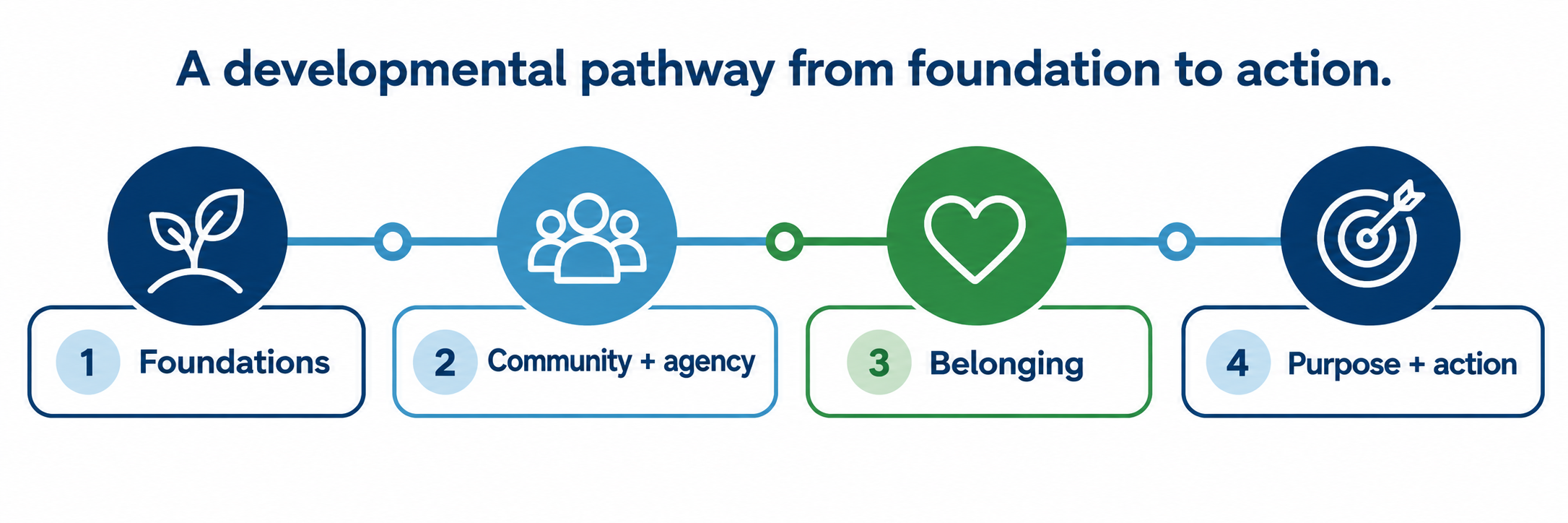
Wayfinder describes its approach as going “beyond SEL.” For implementation, treat it as a connected social-emotional, future-ready, and student-support environment. Give each component a clear educational purpose, owner, audience, schedule, and evidence rule.
Identify What the District Purchased
| Component | Primary job | Implementation question |
|---|---|---|
| Core Curriculum | Grade-banded, sequenced lessons in the six core skills | Which grades, courses, advisory periods, or homerooms teach the lessons, and how often? |
| Activity Library and Collections | Supplemental activities, timely topics, and focused resource sets | Who selects supplements, and how do teachers distinguish them from the core sequence? |
| Waypoints | Formative and summative measures, surveys, skill and wellbeing views, dashboards, and content recommendations | Which instruments are approved, who administers them, who sees results, and what response follows? |
| MTSS and counselor tools | Core Skills Screener, caseload views, intervention planning, tiered content, custom measures, and progress monitoring where licensed | How does the platform support the district’s existing team process without becoming an automatic placement or diagnosis? |
| Future-readiness tools | Purpose, agency, Portrait of a Graduate, postsecondary exploration, and career-connected experiences depending on package | Which local graduate outcomes and counseling plans are being supported? |
Connect and Govern
Build the access, roster, role, privacy, and support structure before teachers ask students to reflect or disclose personal information.
Name the implementation
- Record licensed components, schools, grades, student populations, contract dates, professional learning, print materials, family resources, and vendor and district support contacts.
- Name a curriculum owner, technical owner, roster owner, privacy owner, assessment owner, counseling or MTSS owner, and school-level implementation lead.
- Publish where the program lives in the instructional day and which lessons or measures are required, optional, or locally restricted.
- Decide which students participate, what alternatives exist, and how families receive accurate grade-band information.
Select the connection that matches the district
| Connection | Publicly described use | Verify locally |
|---|---|---|
| Clever | Single sign-on and automated rostering | Shared schools, users, sections, roles, stable IDs, sync schedule, and duplicate-account behavior |
| ClassLink | Single sign-on | Whether rostering uses ClassLink or another route, plus correct launch tile and role |
| Google Classroom | Single sign-on and assignment distribution | Course linking, co-teachers, student joins, copied classes, assignment destination, and result visibility |
| Microsoft Azure | Single sign-on | Tenant, claims, role mapping, account matching, and logout behavior |
| LTI with Deep Linking | LMS launch and content placement, including systems such as Canvas, Schoology, and Blackboard | LTI version, district and course installation, role and context mapping, deep-link placement, grade return if any, and privacy |
| Open Architects and eduCLIMBER | Overnight exports and selected assessment connection | Included fields, destination, schedule, access, retention, error handling, and authorized educational use |
Separate identity from information access
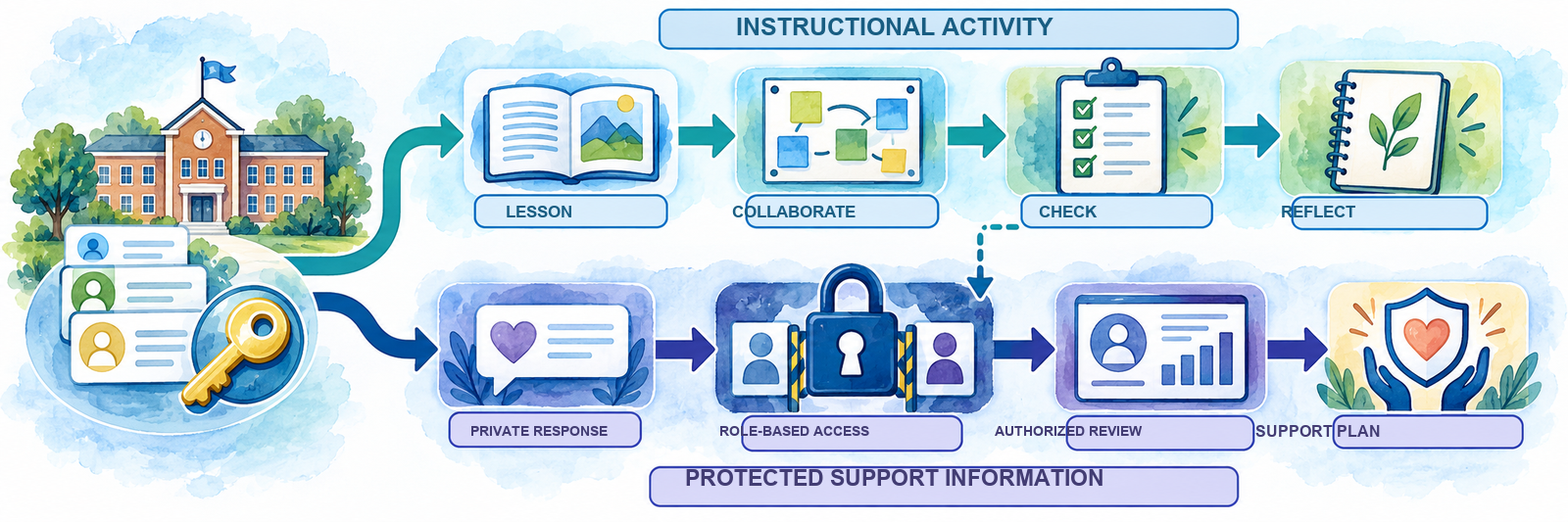
A successful login does not authorize every record. Configure the least access needed for teachers, counselors, school leaders, district staff, students, and families. Never promise confidentiality beyond the actual platform settings, district policy, and the adult’s legal responsibilities.
Map the data before enabling measures
Wayfinder states that its services may capture names, emails, account credentials, classroom associations, and student responses. Document which data enter from the SIS or roster service, which are created in Wayfinder, which leave through exports or integrations, who can view each category, how long it is retained, and how corrections and deletions are handled.
- Use district-managed accounts and stable identifiers; avoid unnecessary duplicate identities.
- Limit private responses, wellbeing information, screeners, caseloads, and intervention records to approved roles.
- Train staff in local student-record, parent-notice, consent, emergency-response, mandated-reporting, and documentation procedures.
- Use demonstration data for training whenever real student information is unnecessary.
Pilot the complete journey
Test one representative class from source roster to student sign-in, lesson access, LMS launch where used, response, teacher view, authorized support-team view, export, transfer, withdrawal, and account removal. Include a co-teacher, a student with accessibility needs, a schedule change, and an approved alternative activity.
Facilitate the Curriculum
Plan for regular, relational practice. The platform can organize a lesson; it cannot establish classroom trust or interpret a student’s experience by itself.
Know the developmental arc and cadence
| Grade band | Developmental emphasis | Published core cadence |
|---|---|---|
| PreK–5 | Community, emotions, caring, curiosity, confidence, and leadership develop through age-appropriate foundations. | 20 lessons per year; approximately 20 minutes each |
| Grades 6–9 | Belonging develops through understanding self, participating in community, and taking action. | 26 lessons per year; approximately 30 minutes each |
| Grades 10–12 | Purpose develops through self-knowledge, connection to community, and meaningful action. | 23 lessons per year; approximately 30 minutes each |
Digital and print availability varies by grade and package. Protect enough time for introduction, participation, reflection, and closure; a 30-minute lesson cannot be reduced to a two-minute slide click without changing its instructional purpose.
Prepare the conditions before the prompt
- Preview the complete lesson, objective, vocabulary, materials, grouping, movement, technology, timing, and closing task.
- Anticipate whether a topic could touch grief, identity, family, trauma, safety, conflict, mental health, or another sensitive experience.
- State what students will share publicly, submit privately, discuss with a partner, or keep to themselves.
- Provide an accessible way to pass, write privately, use a hypothetical example, change partners, or complete an approved alternative without public explanation.
- Know the school’s immediate support and escalation routes before opening a sensitive discussion.
Facilitate, listen, and help students act

Use each delivery route intentionally
| Route | Best use | Check before launch |
|---|---|---|
| Wayfinder platform | Find the sequence, prepare materials, facilitate activities, collect approved responses, and review authorized evidence. | Correct grade, lesson version, role, student group, response visibility, and completion behavior |
| Google Classroom | Place an approved activity in an existing class workflow. | Linked class, co-teacher access, attachment permissions, due date, student destination, and whether results return to either system |
| LMS through LTI and Deep Linking | Launch Wayfinder and place selected content in Canvas, Schoology, Blackboard, or another supported LMS. | Correct course context, deep-linked item, student preview, new-window behavior, mobile support, accessibility, and grade return if configured |
| Print or offline materials | Facilitated activities, private writing, flexible grouping, device-independent access, or an approved alternative. | Current version, secure handling, accessible format, collection and storage rules, and whether anything must later be entered digitally |
Close every lesson safely
Invite students to name a useful idea, next action, remaining question, or support need. Clarify what happens to submitted work and who can see it. Follow local procedures promptly when a response indicates a safety or support concern; do not leave a sensitive disclosure inside an unread assignment queue.
Assess, Support, and Improve
Use the evidence for the question it can answer, bring qualified adults into interpretation, and document the human decision that follows.
Distinguish participation, learning, wellbeing, and support records
| Evidence | Useful question | Do not conclude by itself |
|---|---|---|
| Login, assignment, and completion | Did the student gain access and participate in the expected workflow? | That the student developed a skill, felt safe, answered authentically, or needs an intervention |
| Classroom conversation, work, and reflection | How is the student using a skill in this context, and what instruction might help next? | A fixed trait, clinical condition, or performance across every setting |
| Waypoints skill measure or survey | What pattern appears across the selected measure, group, and administration? | A diagnosis, discipline conclusion, guaranteed outcome, or sole MTSS placement |
| Wellbeing or sensitive response | Does an authorized adult need to check in, clarify, or follow an established safety process? | That a dashboard has completed the human follow-up or that every user may view the response |
| Screener, intervention, and progress-monitoring record | What additional evidence and team review may be needed, and how is an approved support working? | Automatic tier assignment, disability identification, or replacement for district problem-solving and evaluation procedures |
Use Waypoints as a cycle
Define the purpose and selected instrument; prepare students and staff; administer under consistent conditions; review completion and data quality; examine individual and group patterns with authorized colleagues; gather classroom, family, and student context; select an instructional or support response; then revisit evidence at a planned time.
Keep MTSS decisions team-based
Where the MTSS tools are licensed, align the Core Skills Screener, caseload view, tiered content, intervention plan, custom measure, and progress-monitoring schedule with the district’s existing referral, consent, student-study, counseling, special education, and recordkeeping procedures. Define who can create, approve, monitor, revise, and close a plan.
Wayfinder is not a clinical diagnosis or emergency-response service. A score can flag a question or contribute evidence. Qualified staff must interpret the full context and follow district procedures for immediate safety, mandated reporting, mental-health support, disability evaluation, and family communication.
Communicate with families before confusion begins
Explain the grade-band goals, lesson cadence, examples of classroom activities, student participation choices, assessment or survey purpose, information collected, who can see it, how concerns are handled, and where families can ask questions. Wayfinder provides family-facing explanations and activities; the district should connect them to local policy and support contacts.
Improve implementation at several levels
- Access: Did rostered students and assigned adults reach the correct content through the expected route?
- Opportunity: Were lessons actually scheduled, protected from interruption, and facilitated with adequate preparation?
- Experience: Could students participate safely, accessibly, and through more than one mode?
- Instruction: Did educators use reflection and evidence to adjust the next lesson, routine, or support?
- Support: Were flagged concerns reviewed and followed through by authorized adults within the expected time?
- Equity: Do differences in completion, survey response, referral, or intervention reflect access, implementation, interpretation, or opportunity before they are attributed to students?
Resolve the Failed Layer
| What you notice | Check first |
|---|---|
| A user cannot sign in | Official launch route, district account, Clever, ClassLink, Google, Azure, or LTI configuration; account match; role; browser; and duplicate identity |
| The teacher signs in but sees no class | Roster source, school and section sharing, teacher-section relationship, term dates, last synchronization, role mapping, and duplicate account |
| A new or transferred student is missing | SIS enrollment and schedule, stable identifier, sharing scope, sync timing, rejected record, old-school association, and whether a manual account conflicts with automation |
| The LMS opens the wrong place | Course installation, LTI role and context, deep-linked item, copied-course link, browser cookies, pop-up handling, and whether the teacher selected a general launch instead of specific content |
| A student sees a blank, inaccessible, or blocked activity | License and grade access, assignment status, linked class, due dates, device and browser support, filtering, language, accommodations, and student preview |
| A teacher cannot see a response | Whether the activity collects a response, submission state, linked section, teacher role, privacy setting, assessment window, and whether visibility is intentionally limited to another authorized role |
| Too many adults can see sensitive information | Stop unnecessary access; review role mapping, school scope, counselor or administrator privileges, exports, shared courses, local accounts, and district privacy escalation procedures |
| A score or dashboard seems surprising | Instrument and purpose, administration date, completion, response conditions, student understanding, filters, comparison group, data refresh, and corroborating evidence |
| A concern appears in a student response | Follow the district’s immediate safety, counseling, mandated-reporting, documentation, and family-communication procedure; do not wait for the next dashboard review |
| Teachers are skipping or compressing lessons | Master schedule, protected minutes, lesson length, preparation burden, training, materials, leadership expectation, competing initiatives, and facilitator feedback |
Good Wayfinder Habits
Protect the cadence
Schedule the sequence and preserve enough time for relationship, activity, reflection, and closure.
Facilitate with care
Preview sensitive prompts, set sharing boundaries, provide participation choices, and know the support route.
Interpret together
Use measures as one source of evidence and keep consequential decisions with qualified district teams.
Govern every lane
Separate login, roster, instruction, sensitive responses, support records, exports, and permissions.
Official Wayfinder Resources
Products, packages, lesson counts, integrations, assessments, privacy terms, and interfaces may change. Confirm the district’s active agreement and current vendor guidance.
2026–27 edition. Official Wayfinder district curriculum, product, core lesson, Collections, Waypoints, MTSS, integration, privacy, data, and family materials reviewed September 13, 2026. Package names, grade coverage, lesson counts, print and digital materials, assessment instruments, integrations, exports, permissions, interfaces, and support features may change. District curriculum, student-record, privacy, consent, family-notice, accessibility, student-support, emergency-response, mandated-reporting, counseling, MTSS, special education, retention, and procurement policies remain controlling. Conceptual illustrations are SDLA material.