



i-Ready Quick Start Guide
Assess, teach, monitor, and adjust—then give students time to use what the results tell you.
i-Ready connects assessment with instruction. Its adaptive reading and mathematics assessment identifies learning needs; Personalized Instruction builds a student’s My Path of online lessons from those results. Teachers use both to plan instruction and respond to progress.
2026–27 terminology: i-Ready Diagnostic is now i-Ready Inform. This guide uses “assessment” for that familiar benchmark and diagnostic process. It becomes part of formative practice when teachers use the evidence to change what happens next.
Assessment Starts the Teaching Cycle
Assess
Establish strengths and needs with a carefully administered assessment.
Plan
Review My Path and select focused classroom instruction.
Teach
Run a 9–10-week sprint of online lessons and teacher-led learning.
Respond
Check progress weekly, adjust support, and carry learning forward.
Protect the third sprint. In this SDLA model, the third assessment happens early enough to leave 9–10 instructional weeks for students to work on the resulting learning priorities. Moving it into the final weeks leaves little time to act on the new results. Work backward from the last teaching day; two calendar months may be too short once breaks are removed.
District Setup
Protect the instructional calendar, confirm access, and make follow-through part of the plan.
Build the year around three teaching cycles
| Assessment | What follows |
|---|---|
| 1 · Beginning of year | Review the baseline, launch My Path, and teach Sprint 1 for 9–10 instructional weeks. |
| 2 · Midyear checkpoint | Review growth and continuing needs, check the updated path, and teach Sprint 2 for 9–10 instructional weeks. |
| 3 · Early enough for spring instruction | Use the new evidence to plan and complete Sprint 3 for 9–10 instructional weeks before school ends. |
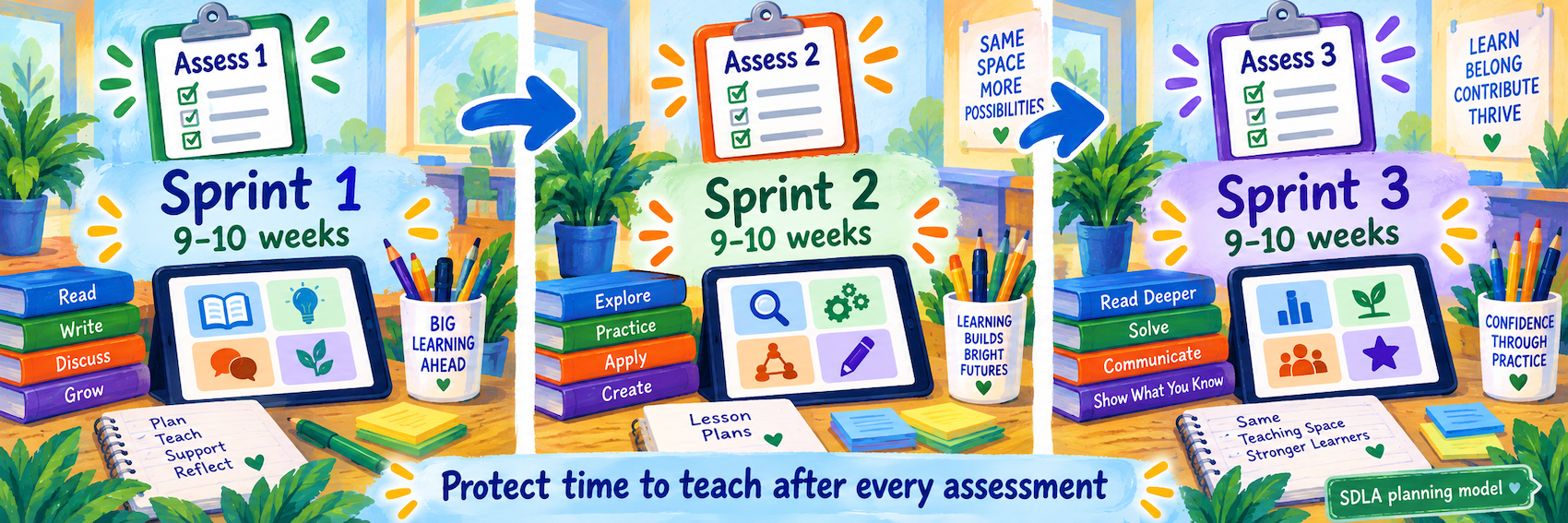
Schedule the learning blocks first. Allow time for assessment administration, makeups, and teacher review. Coordinate assessment spacing and reporting windows with district requirements and your i-Ready implementation partner.
The publisher describes assessment at the start of school and up to two additional times. The three 9–10-week sprints and early third window are SDLA implementation guidance, not a universal vendor testing requirement. A sprint is a period of focused teaching and review, not a race to complete lessons.
Official overview: assessment and instruction across the year
Confirm access to assessment and lessons
- Verify the school has both the intended assessments and Personalized Instruction for the relevant subjects; assessment access alone does not establish lesson access.
- Check students and classes in the school’s roster and sign-in setup. Use Clever or ClassLink where configured, or the district’s other approved route.
- Test the student launch, subject, headphones, and lesson availability on classroom devices. Resolve missing or duplicate accounts through the roster administrator.
- Set aside regular instructional time and identify support for placement questions, reports, and family access.
Official overview: Personalized Instruction and teacher-assigned lessons
Define the weekly routine
Plan brief online sessions alongside small-group teaching, discussion, and offline practice. Current family guidance describes approximately 30–49 minutes per subject per week; apply the school’s plan and individual student needs.
Build in a weekly report review and quick student check-in. Administrators should ask what teachers did with the evidence and whether students received the planned support.
Teacher Workflow
Use assessment results to start instruction, then respond to learning every week.
Get useful assessment evidence
Follow the current administration directions, provide required access supports, and prepare students to work carefully and independently. Explain that an adaptive assessment includes challenging questions; it is identifying what to teach next.
Official teacher explanation: how the adaptive assessment works
After completion, review domain-level results and instructional recommendations alongside classwork, observations, and other checks. Investigate an unexpected result before making a major instructional change.
Official overview: assessment insights and instructional planning
Review My Path and set a learning goal
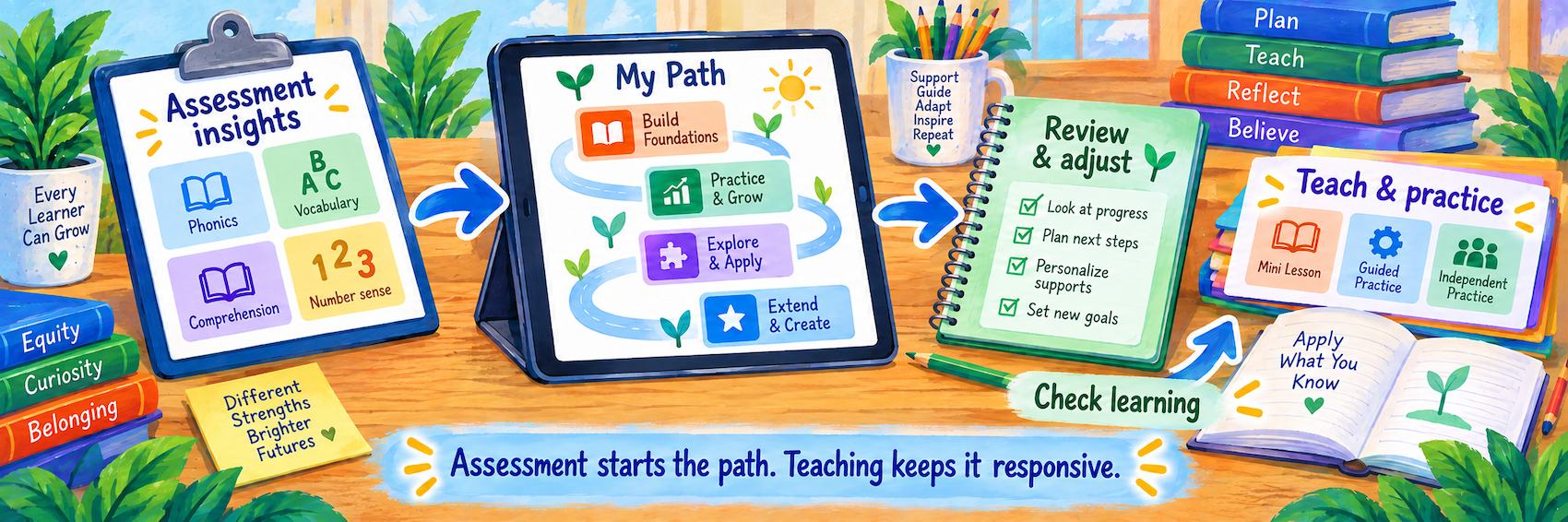
Open the student’s Personalized Instruction information for the correct subject. Review the starting point, current lessons, and available performance evidence. Choose a concrete goal the student can explain, such as using a model to compare fractions.
| Action | Purpose |
|---|---|
| Adjust lesson placement in My Path | Change the starting point within a domain when evidence shows the current placement is unsuitable. |
| Assign a specific lesson | Target a particular classroom skill or learning need with a teacher-assigned lesson. |
Before adjusting placement, review the student and domain, preview the relevant lesson, and consider completed work. Use the current in-product placement controls, confirm the change, and check what the student sees afterward. Record the reason and a follow-up date.
The publisher’s placement guide explains that changing My Path’s position differs from selecting individual lessons, and moving backward can repeat completed content. Its published screenshots are older; use current Help / Success Central guidance for the menus in your account.
Publisher guide: adjusting placement (2020 PDF; older interface)
Teach and monitor throughout the sprint
- Have students launch i-Ready through their school login and work on the intended My Path or teacher-assigned lessons.
- Review lesson time, completion, pass results, and alerts weekly. Look for repeated difficulty, unusually easy work, or interrupted access.
- Talk with the student and check understanding using a short explanation, example, or classroom task.
- Provide a targeted mini-lesson, small-group support, or a justified path adjustment.
- Recheck the skill and progress after support; do not wait for the next benchmark to respond.
Minutes and lessons passed are useful signals. Look for students applying the skill in reading, writing, or mathematics beyond the program.
Use teacher resources and involve families
| Resource | Practical use |
|---|---|
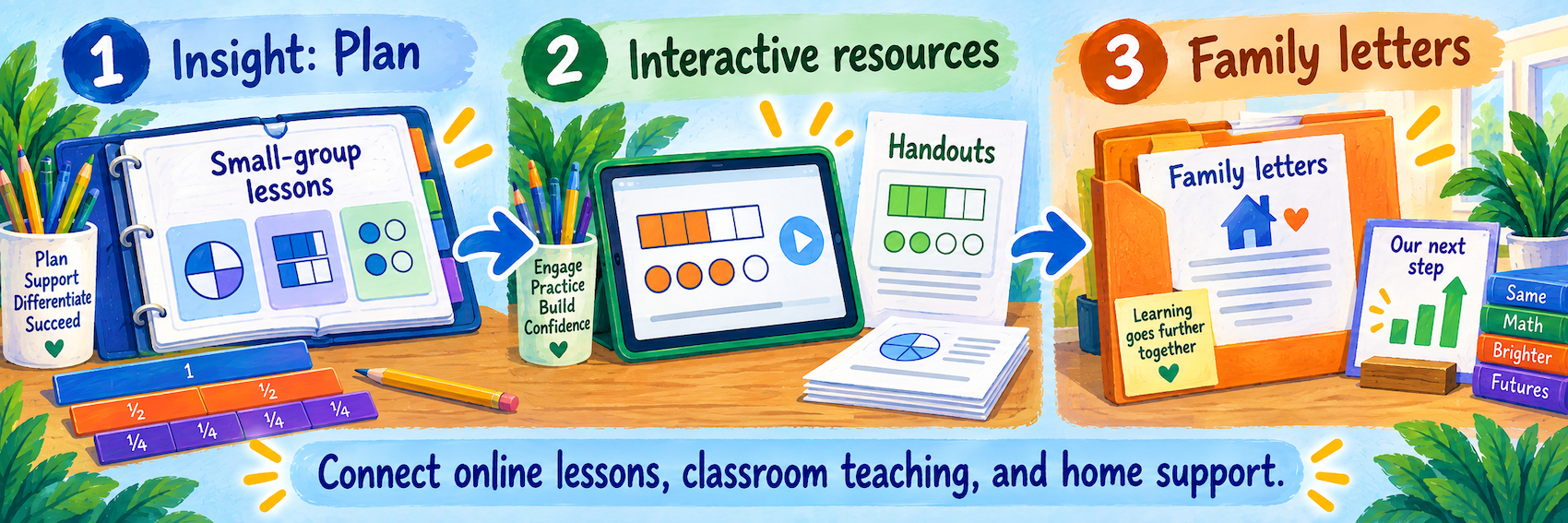
| Tools for Instruction | Choose a focused teacher-led lesson from instructional reports for a small group or individual student. |
| Teacher Toolbox, where licensed | Find lesson materials, interactive tutorials, and practice resources for classroom teaching. |
| Handouts and offline practice | Give students another way to explain and apply the target skill. |
| Family reports and letters | Share a strength, a learning priority, the login route, and a realistic way to support progress. |
Tools for Instruction connect assessment needs with short lessons and checks for understanding. Teacher Toolbox resources depend on the programs your school has purchased.
Official resource: Tools for Instruction
Official resource: Teacher Toolbox
Use the Family Center for i-Ready explanations and support. Where the school also uses i-Ready Classroom Mathematics, its Family Letters connect lesson content to activities at home.
Configure and Verify
Check access, instructional fit, and enough time to act on each assessment.
Verify the student experience
- Confirm that the intended student, class, subject, and licensed instruction appear after login.
- Check that My Path is available following the completed assessment and that any teacher-assigned lesson is the intended one.
- After a placement change, verify the resulting lesson sequence and check back with the student.
- Locate the reports and teaching resources you will use in the next weekly review.
Use an approved demonstration account for practice. Menu names and options may differ by grade, product, and role; use the current in-product Help and Success Central resources.
Keep the third cycle on the calendar
Before approving the third assessment window, count the usable teaching weeks after results are ready. Exclude breaks and account for state testing, trips, and other interruptions.
A useful planning question: “After this assessment, when will students receive the next 9–10 weeks of instruction—and when will teachers check whether it is working?”
A late-year assessment can still document status or inform future teaching. It leaves less opportunity for a full third sprint in the current school year. Reconcile reporting obligations with that instructional tradeoff instead of treating assessment completion as the end of the process.
Respond to common problems
| What you notice | Next step |
|---|---|
| A student can assess but has no lessons | Check subject licensing, assessment completion, and instruction access settings. |
| The lesson path seems too easy or too difficult | Review domain results, lesson work, and classroom evidence before adjusting placement. |
| A student completes minutes but is not progressing | Inspect lesson results and access issues; observe the student and teach the needed skill. |
| Teachers cannot locate resources | Check the licensed program and use current Help or Success Central guidance. |
| The spring assessment is scheduled near closing day | Rebuild the calendar around the remaining instructional weeks and district requirements. |
| Families are unclear about the purpose | Explain the cycle: assessment identifies needs; lessons and teacher support address them. |
Good Assessment-to-Instruction Habits
Protect teaching time
Reserve a full sprint after each assessment.
Use more than a score
Connect assessment results with classroom evidence.
Respond every week
Review progress and teach into the next need.
Make learning visible
Ask students to explain and apply what they learned.
Official i-Ready Resources
2026–27 edition. Public product information reviewed September 11, 2026. The three-sprint calendar is SDLA implementation guidance. Features and resources depend on licensed products and school settings. Illustrations are conceptual SDLA material.