


DBQ Online Access: History/ELA Quick Start Guide
Help students investigate historical questions, weigh primary and secondary sources, and write evidence-based arguments.
DBQ Online is a licensed inquiry and writing environment—not a general-purpose LMS. It brings The DBQ Project’s units, document-analysis tools, evidence organization, Essay Builder, classes, and teacher feedback into one browser-based workspace. This guide leads with grades 6–12 history and shows the direct transfer to ELA close reading and argument writing.
Content, Method, and Platform Work Together
Compelling Question
A focused historical problem gives students a reason to read, discuss, and argue.
Document Set
Primary and secondary sources provide evidence that must be sourced, contextualized, and compared.
Teacher-Guided Method
Modeling, discussion, scaffolds, and feedback develop historical reasoning and literacy.
Online Workspace
Classes, annotations, evidence buckets, writing tools, and saved work support the instructional sequence.
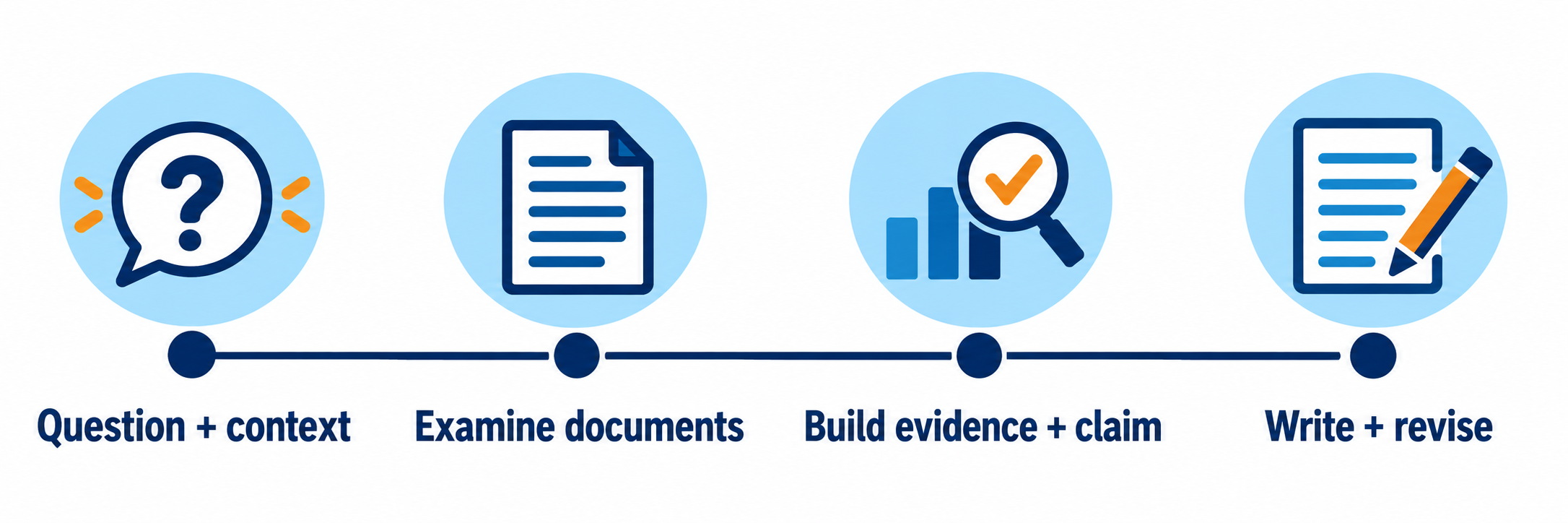
Do not start with the essay box. Students need enough historical context, careful document reading, evidence discussion, and claim development before drafting. The digital tools organize that work; they do not replace it.
District Setup
Align licensing, instructional expectations, identity, integrations, and content governance.
Confirm the licensed instructional scope
DBQ Online access is tied to licensed digital binders and the participating school or district. Confirm the grade bands, history courses, ELA use cases, available binders, license dates, teacher groups, student population, and professional-learning expectations before creating classes.
| Decision | Operational question |
|---|---|
| Curriculum placement | Which courses and units will use full DBQs, Mini-Qs, or selected document-analysis routines? |
| Instructional expectation | How often will students complete the full inquiry-to-writing sequence? |
| ELA connection | Which close-reading, discussion, evidence, argument, and revision practices will be shared across departments? |
| Professional learning | Who will learn and model The DBQ Project Method before teachers are expected to use the platform independently? |
| Ownership | Who manages licensing, integrations, users, classes, troubleshooting, and renewal? |
Choose the access and rostering route
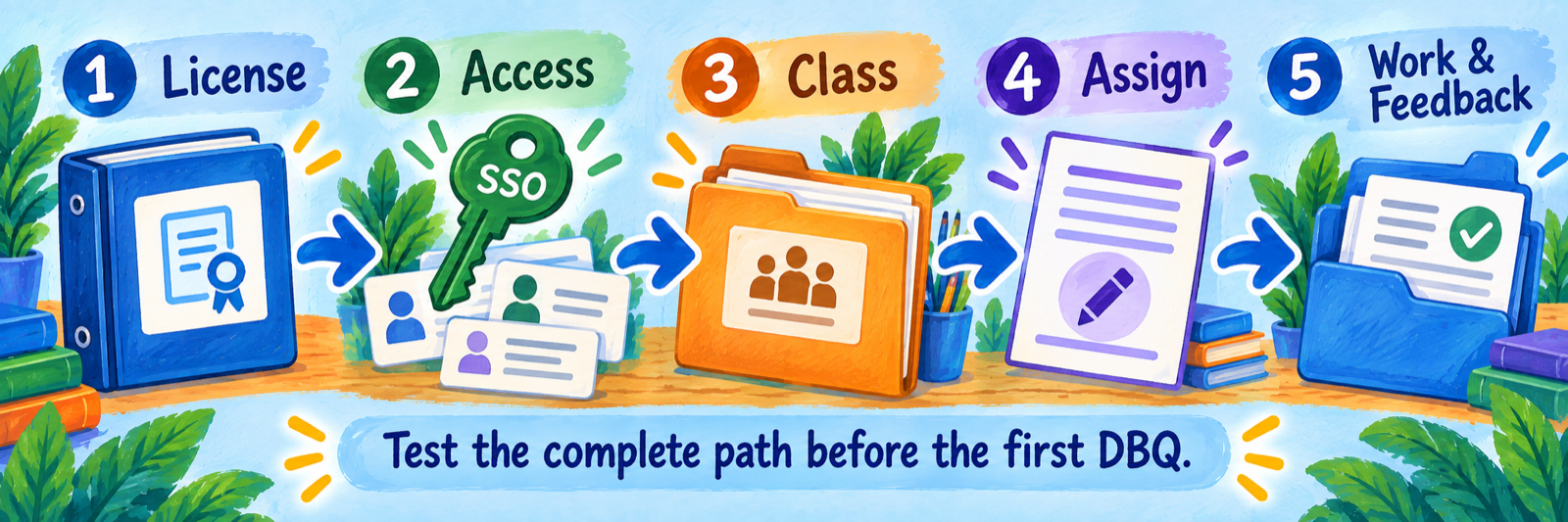
The public DBQ Online page lists Google Workspace, Canvas, Schoology, Clever, ClassLink SSO, and ClassLink OneRoster among its integration options. Confirm the district’s exact connection, data fields, class-creation process, sync behavior, and support contacts with The DBQ Project before launch.
- Use one authoritative identity source for teachers and students.
- Define whether classes are created through an integration or inside DBQ Online.
- Confirm whether assignments launch from DBQ Online, an LMS, or both.
- Test how withdrawn, transferred, and duplicate students are handled.
- Document who can see, download, retain, and delete student work.
Protect licensed content and student work
The DBQ Online terms restrict redistribution of DBQ materials outside the licensed school setting. Teachers may download designated student responses and writing, but restricted materials and student work should not be posted on public websites or open file-sharing locations.
The privacy policy states that DBQ Online stores student-created content with user accounts and archives content at the end of the school year. Align local retention, export, deletion, and staff-departure procedures with the current agreement.
Pilot the complete path
Use one licensed binder, one teacher, one class, and an approved demonstration student. Verify sign-in, class membership, unit access, assignment customization, annotations, evidence buckets, Essay Builder, saving, downloading or submission, teacher feedback, and year-end handling before expanding.
Verify current technical requirements directly. The public DBQ Online page contains an apparently dated browser statement. Use vendor support and a district device test for the browsers, operating systems, filters, accessibility tools, and LMS integrations actually in scope.
Teacher Workflow
Teach students to investigate, discuss, organize, argue, and revise.
Plan the historical inquiry before assigning
Select a question and document set that fit the current history course. Identify the essential background knowledge, vocabulary, source types, likely misconceptions, and writing outcome. Decide which scaffolds students need and which parts of the work should remain collaborative, teacher-modeled, or independent.
Official resource: compelling questions and the C3 Inquiry Arc
Model how historians read sources
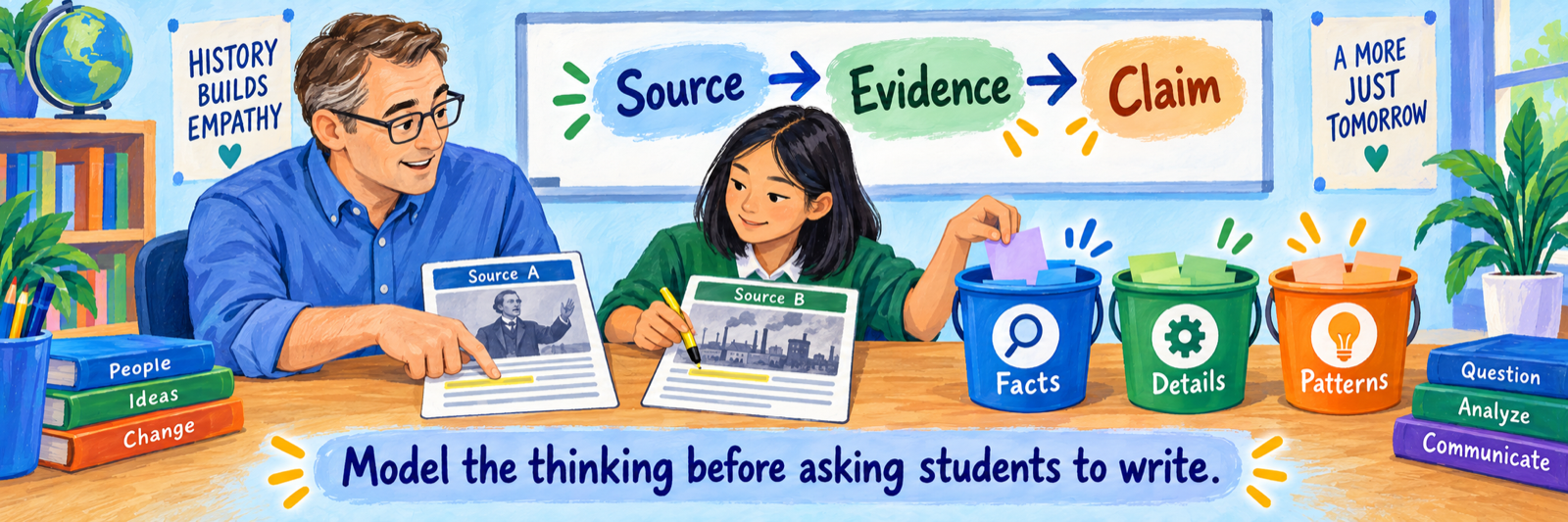
Demonstrate how to identify the creator, audience, purpose, time, place, and historical situation of a document. Think aloud while distinguishing what the source says from what can reasonably be inferred. Then compare sources for agreement, tension, perspective, and missing evidence.
| Platform action | Teacher prompt |
|---|---|
| Highlight | Why is this passage evidence rather than merely interesting? |
| Sticky note | What does this detail suggest, and what remains uncertain? |
| Dictionary or read-aloud | How does access support help you understand the source without replacing analysis? |
| Evidence bucket | What idea connects these sources, and could a document fit more than one category? |
| Claim or outline | How does each piece of evidence support the reasoning—not merely appear beside it? |
Move through inquiry before drafting
Use the DBQ sequence as an instructional arc rather than a set of boxes to complete.
- Launch the compelling question and surface initial thinking.
- Build common historical context through the hook, vocabulary, background reading, and discussion.
- Read, source, annotate, and compare the documents.
- Discuss interpretations and organize relevant evidence into defensible categories or buckets.
- Develop an arguable claim and roadmap that answer the question.
- Outline, draft, cite evidence, explain reasoning, receive feedback, and revise.
Customize without removing the thinking
DBQ Online allows teachers to customize assignments and use differentiated materials. Adjust the reading level, chunking, number of documents, vocabulary support, audio access, graphic organizers, pacing, or writing product as needed. Preserve the central demand: students must make and support an interpretation with evidence.
ELA transfer: Name the shared moves explicitly—close reading, source evaluation, discussion, claim development, evidence selection, reasoning, organization, drafting, and revision. History content gives these literacy practices an authentic purpose.
Review the reasoning behind the paper
Inspect annotations, notes, buckets, outline, and draft—not only the final response. Feedback should identify the next historical or writing move: reconsider a source, add context, address conflicting evidence, sharpen the claim, explain how evidence proves it, or revise organization.
| What you notice | Possible teacher response |
|---|---|
| Accurate facts but weak source use | Return to sourcing and contextualization before adding more evidence. |
| Many highlights but no categories | Model how an inquiry question determines relevance and how evidence supports a line of reasoning. |
| Claim repeats the prompt | Compare plausible answers and require an arguable position. |
| Evidence is quoted but unexplained | Use a sentence frame that links evidence, interpretation, and claim. |
| One-sided argument | Revisit a source that complicates the claim and discuss how a historian should address it. |
| Strong analysis, limited writing fluency | Preserve the reasoning while providing targeted organization, language, or revision support. |
Configure and Verify
Prove the access path and the historical-thinking path from source to revised argument.
Test the student experience
- Launch through the district’s intended SSO, LMS, or DBQ Online route.
- Confirm the student reaches the correct class, licensed binder, unit, and customized assignment.
- Open the background essay and several document types; test color images, maps, read-aloud, dictionary, and annotations when used.
- Save notes, organize evidence, develop a claim, and enter work in Essay Builder.
- Complete the documented download or submission process and confirm what the teacher receives.
- Provide feedback and verify what the student can see and revise.
- Repeat on one representative district device and supported accessibility setup.
Check the assignment as a historian and reader
| Check | Question |
|---|---|
| Question | Is the problem genuinely arguable and clear to students? |
| Context | What must students know before they can interpret the documents responsibly? |
| Sources | Whose perspectives appear, whose are missing, and what limitations require discussion? |
| Scaffolds | Which supports increase access while preserving source analysis and argument? |
| Discussion | Where will students test interpretations before writing independently? |
| Writing | What claim, evidence, reasoning, citation, and revision expectations will be assessed? |
Keep assessment claims appropriately narrow
A completed DBQ can provide rich evidence of historical reasoning and disciplinary literacy under the assigned conditions. It does not by itself prove independent mastery across unfamiliar topics, distinguish student reasoning from extensive adult or automated assistance, or explain every reading and writing difficulty.
Use the annotations, discussion, planning artifacts, draft history, final writing, and teacher observation together. Compare growth across several inquiries rather than treating one paper as a complete measure.
Resolve common first-use problems
| What you notice | Check first |
|---|---|
| A teacher cannot see a binder | Confirm the licensed title, school affiliation, user role, activation date, and account used to sign in. |
| A class or student is missing | Check the authoritative roster, sync scope, class-creation method, and duplicate accounts before creating a new record. |
| An LMS launch opens the wrong place | Verify the user identity, course mapping, assignment link, and integration configuration. |
| Annotations or writing seem missing | Confirm the student used the correct account, class, unit, assignment, and save or download workflow. |
| Read-aloud or media does not work | Check the supported device and browser, audio output, permissions, filtering, and the specific source format. |
| Students highlight everything | Pause platform work and model relevance, sourcing, and evidence selection with one document. |
| Students have buckets but weak claims | Test several arguable answers and require each category to support a reason in the roadmap. |
| Someone wants to post materials publicly | Review the DBQ Online terms; keep licensed materials and restricted downloads inside authorized school use. |
Good DBQ Online Habits
Question first
Keep the historical problem visible as students read and organize evidence.
Model the thinking
Demonstrate sourcing, inference, corroboration, and evidence reasoning.
Discuss before drafting
Let students test interpretations and encounter competing claims.
Revise the argument
Use feedback to improve reasoning as well as sentences and structure.
Official DBQ Project Resources
Use the licensed materials, current agreements, and vendor guidance for your district implementation.
2026–27 edition. Public DBQ Project resources reviewed September 12, 2026. Licensed content, integrations, technical requirements, account workflows, and available tools depend on the current agreement and configuration. Classroom examples and conceptual illustrations are SDLA material.