


CPM Mathematics Quick Start Guide
Connect reliable digital access to collaborative, problem-based mathematics instruction.
CPM is a grades 6–12 curriculum and professional-learning model with digital tools. Its eBooks, eWorkspace, eTools, Desmos activities, assessments, and Homework Help support the course—but they do not replace study-team discourse, teacher questioning, lesson closure, or mixed, spaced practice.
The Curriculum Works as a System
Adopted Course
The exact CPM series, course, edition, language, and print/digital materials define what teachers and students need.
Instructional Model
Students investigate rich problems in structured teams while teachers listen, question, connect, and facilitate closure.
Digital Resources
eBooks, eWorkspace, eTools, Desmos, assessments, and Homework Help support particular parts of the learning cycle.
Professional Learning
Sustained implementation support develops lesson planning, mathematical discourse, formative assessment, and leadership.
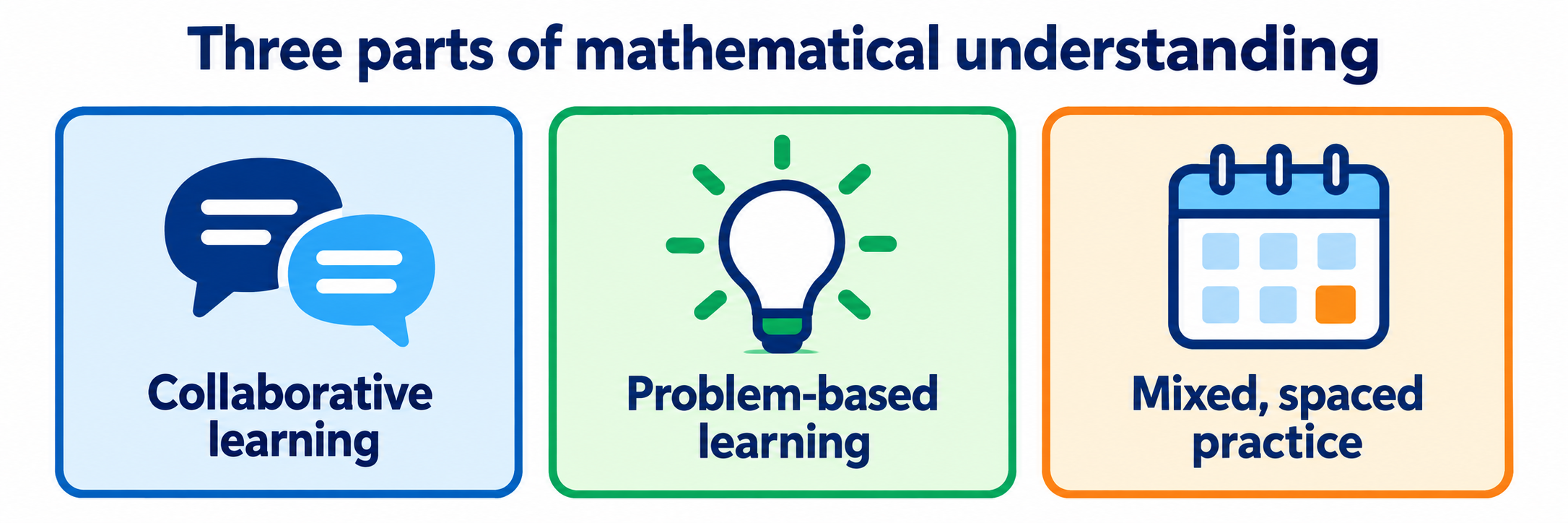
An eBook login is not CPM implementation. The daily experience should include collaborative learning, problems that develop mathematical ideas, and practice that deliberately returns to earlier learning.
District Setup
Make identity, licensing, and class access reliable enough to support the instructional change.
Define the adopted CPM environment
Inventory each participating school, course, edition, language, teacher edition, student license pool, print component, digital component, and license term. Name the contract administrator, eBook administrators, site curriculum leads, data owner, and CPM support contact.
| Layer | Owner and evidence |
|---|---|
| Contract and license pools | A district owner confirms purchases, available quantities, expiration dates, and renewal timing. |
| Teacher access | An eBook administrator assigns the correct Teacher Edition and, when needed, Student License Provider authority. |
| Classes and students | A named owner creates accurate classes and reconciles student membership. |
| Instruction | Math leaders define course pacing, team routines, materials, assessment expectations, and professional learning. |
| Support | Staff know which issues belong to the SIS or identity team, the CPM administrator, curriculum leadership, or CPM Support. |
Treat rostering as a five-record match
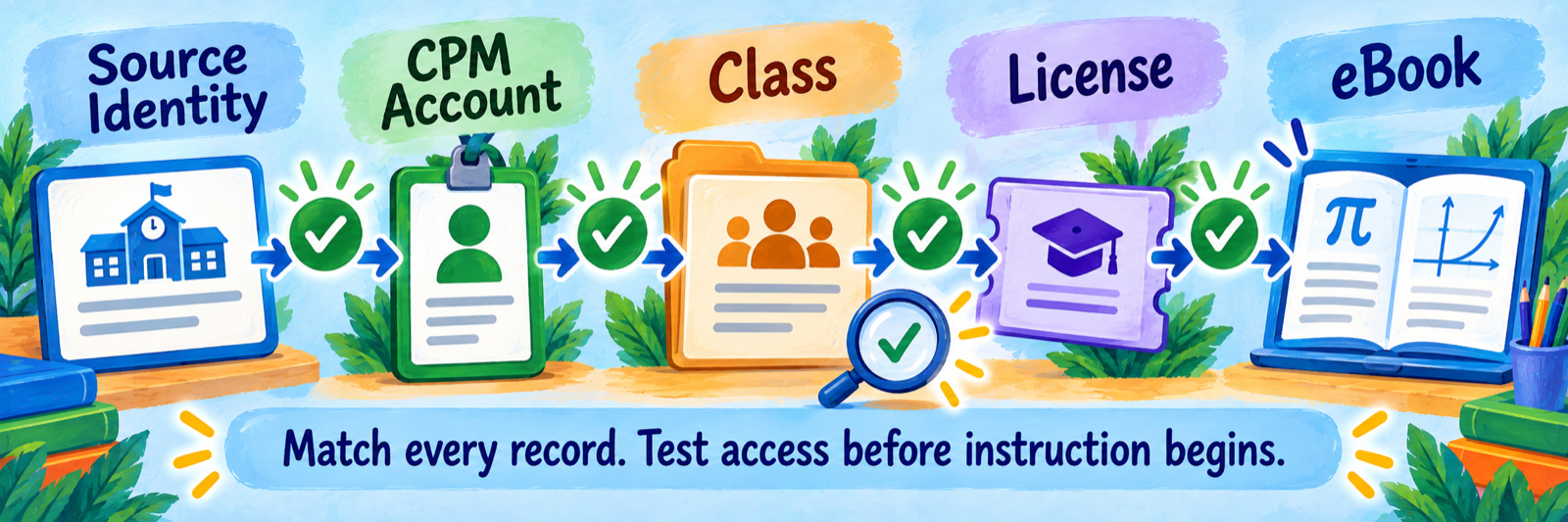
A working CPM roster requires more than a successful sign-in. The source identity, CPM account, class membership, assigned digital license, and visible eBook must all point to the same learner and course.
| Record | What to verify |
|---|---|
| Source identity | Use the district’s stable identifier, approved name, school, grade, course, section, and active status. |
| CPM account | Find and reuse the existing account when possible; avoid creating a second account for a returning or transferred student. |
| Class membership | Confirm the student appears once in the correct teacher’s section and remove obsolete membership through the approved process. |
| License assignment | Confirm the class draws from the correct license pool and has enough current licenses. |
| eBook access | Open the exact course, edition, and language the class is using and confirm the expiration date. |
Choose and document the enrollment workflow
The current CPM licensing documentation describes three teacher-managed routes: a one-time class PIN, adding one student, and CSV bulk upload. Students using a PIN can connect an existing account or register, then sign in with Google, Microsoft, Clever, ClassLink, or CPM credentials.
- Do not assume that a Clever or ClassLink sign-in automatically creates or continually synchronizes the CPM class roster.
- Use one district-approved username or email convention and preserve it across years.
- Search for an existing account before creating a new student.
- Disable or regenerate a class PIN after enrollment is complete according to local practice.
- Record the class start and end dates because student eBook access follows the class license term.
Build a reconciliation routine
Before launch and after every scheduled roster change, compare the authoritative roster with CPM. Resolve mismatches by category instead of asking teachers to create accounts until the totals look right.
| Measure | Action |
|---|---|
| Expected versus active students | Find missing and extra records by school, course, and section. |
| Duplicate identities | Compare username, email, name, and prior enrollment before changing or merging records. |
| Class without a licensed book | Assign the correct course license before students attempt access. |
| License shortage or wrong pool | Return unused licenses or correct the class source with the eBook administrator. |
| Transfer or schedule change | Move or reassign the existing account and verify continued access. |
| Expired or future-dated class | Correct dates only after confirming the instructional calendar and license agreement. |
Use a controlled pilot: One teacher, one class, and one approved demonstration student should pass through sign-in, enrollment, license, eBook, eTool, eWorkspace submission, feedback, and assessment access before broad release.
Fund the instructional transition
CPM describes a multi-year professional-learning progression for adopting schools. Schedule the Foundations for Implementation experience, course-specific preparation, site leadership, time for teacher collaboration, and onboarding for teachers hired after the initial adoption.
Teacher Workflow
Prepare, launch, listen, connect, close, and respond to evidence.
Prepare the lesson from the Teacher Edition
Study the lesson purpose, mathematics, materials, team structure, likely strategies, misconceptions, questions, closure, and connections to prior and future learning. The Teacher Edition includes answers, teacher notes, course preparation, support resources, assessment guidance, team strategies, universal-access ideas, and literacy support; exact features vary by course and edition.
Launch the problem without removing the problem solving
Establish the context, clarify the task and materials, activate relevant prior knowledge, and confirm that students know how to begin. Avoid demonstrating the complete method before students have an opportunity to investigate.
- Name the collaboration routine and study-team responsibilities.
- Make the mathematical goal clear without prescribing one solution path.
- Confirm whether students need print materials, a notebook, manipulatives, eTools, Desmos, or eBook access.
- Give students a way to record conjectures, representations, calculations, and revisions.
- Set expectations for explaining, questioning, and building on a teammate’s reasoning.
Observe, question, and select student thinking
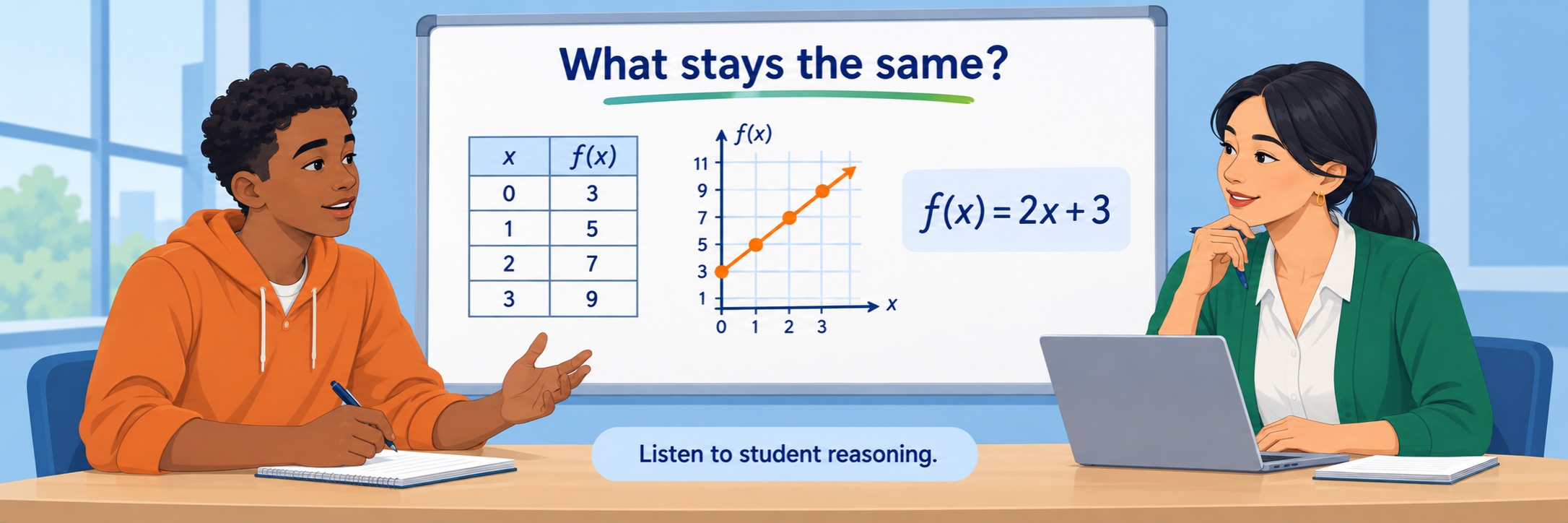
Circulate while teams work. Listen for how students represent the situation, connect ideas, justify steps, and respond to disagreement. Ask questions that reveal and extend thinking rather than funneling students to one procedure.
| Evidence | Possible next question |
|---|---|
| A representation without explanation | What does each part represent in the situation? |
| Two different approaches | Where do the methods agree, and why should both work? |
| A correct answer from an unclear process | How could you convince another team? |
| An error shared by several teams | What example could test that claim? |
| One student carrying the team | Who can restate the idea, and who can add another representation? |
| Productive partial reasoning | What do you know already, and what relationship could move you forward? |
Facilitate mathematical closure
Select and sequence student ideas so the class can compare strategies, name the mathematical connection, correct misconceptions, and record a useful conclusion. Methods and Meanings or Math Notes appear after students have worked with the idea; use them to formalize learning rather than replace exploration.
Closure is instructional work. A completed activity or eWorkspace submission does not guarantee that students connected their approaches to the intended mathematics.
Use digital evidence and assessment formatively
Use eWorkspace submissions, uploaded written work, team conversations, closure responses, mixed practice, and assessment tasks together. Provide feedback that advances a representation, connection, justification, or revision rather than simply marking an answer.
| Pattern | Teacher response |
|---|---|
| Correct procedure, weak meaning | Return to a diagram, table, context, or explanation. |
| Strong team explanation, weak individual work | Use a brief independent check and targeted practice. |
| Persistent misconception across teams | Plan a common discussion, contrasting example, or revised task. |
| Skill fades during mixed practice | Reconnect the current problem to earlier learning and schedule another retrieval opportunity. |
| Student uses one representation only | Ask for a connection among words, symbols, tables, graphs, or diagrams. |
| Assessment shows partial understanding | Use CPM’s guidance, accommodations, and recommended next steps for that course and edition. |
Configure and Verify
Verify the roster chain and the instructional conditions needed for CPM to work as designed.
Prove the complete access path
- Confirm the teacher can sign in to myCPM and see the correct Teacher Edition and professional-learning access.
- Create or verify a class with the correct school, teacher, course, edition, start date, and end date.
- Enroll an approved demonstration student through the district’s intended route.
- Confirm the same student appears once in the class and consumes the intended license.
- Open the correct eBook and one representative lesson, eTool, Desmos activity, and Homework Help resource.
- Submit one eWorkspace response and confirm the teacher can review and respond.
- Open the appropriate assessment resources and verify that access matches the teacher role.
- Remove or transfer the demonstration enrollment and confirm the expected license result.
Test roster changes, not only initial enrollment
Use controlled cases for a new enrollee, course change, school transfer, duplicate name, returning student, withdrawn student, and staff replacement. Record the expected owner, system of record, correction procedure, and time to resolution for each case.
Protect the existing account: When a student already has a CPM account, reconnect that identity to the new class. Creating a fresh account may split access and make troubleshooting harder.
Verify the classroom environment
| Check | Evidence |
|---|---|
| Room and teams | Students can see one another’s work, share materials, and participate through defined routines. |
| Devices | The intended browser, screen size, filtering, sign-in provider, and session behavior work on representative devices. |
| Materials | Print pages, notebooks, manipulatives, eTools, and projection are ready for the lesson—not merely ordered. |
| Access | Language, literacy, visual, motor, and other required supports preserve the mathematical goal. |
| Teacher learning | The teacher can find course preparation, lesson notes, team strategies, assessment guidance, and support. |
| Family communication | Families receive a plain-language explanation of problem-based learning, study teams, mixed practice, and Homework Help. |
Resolve common first-use problems
| What you notice | Check first |
|---|---|
| The teacher sees no Teacher Edition | Confirm the correct account, school association, assigned teacher license, license dates, and eBook administrator. |
| The teacher cannot create a class or assign student books | Confirm Student License Provider authority and available student licenses. |
| The student signs in but sees no eBook | Check class membership, assigned book, license pool, and class dates separately. |
| A student has multiple accounts | Stop creating records; compare username, email, sign-in provider, prior classes, and school association. |
| The class roster drifts from the schedule | Run the documented reconciliation and repair each mismatch at its authoritative source. |
| The enrollment PIN fails | Confirm the PIN is current, enabled, tied to the right class, and entered through the current CPM enrollment route. |
| An eTool or digital activity will not load | Check device, browser, network filtering, pop-ups, cookies, and whether the resource requires an authenticated eBook session. |
| Students divide work instead of collaborating | Revisit team roles, shared reasoning, individual accountability, and teacher monitoring. |
| Students wait for the teacher to demonstrate | Strengthen the launch and questioning routine while preserving productive struggle. |
| Homework feels disconnected from today’s lesson | Explain the purpose of mixed, spaced practice and help students identify earlier learning being revisited. |
Good CPM Habits
Match every record
Verify identity, account, class, license, and eBook as separate connected records.
Launch the problem
Give students room to investigate before formalizing the method.
Listen for reasoning
Use representations, explanations, and team discourse to choose the next question.
Close the lesson
Connect student ideas to the intended mathematics before practice continues.
Official CPM Resources
Use documentation for the exact course, edition, license, and interface enabled in your district.
2026–27 edition. Public CPM Educational Program and CPM support resources reviewed September 12, 2026. Courses, editions, licensing, interfaces, digital tools, assessment resources, and sign-in options depend on the district agreement and configuration. Classroom examples and conceptual illustrations are SDLA material.