


ABCya Quick Start Guide
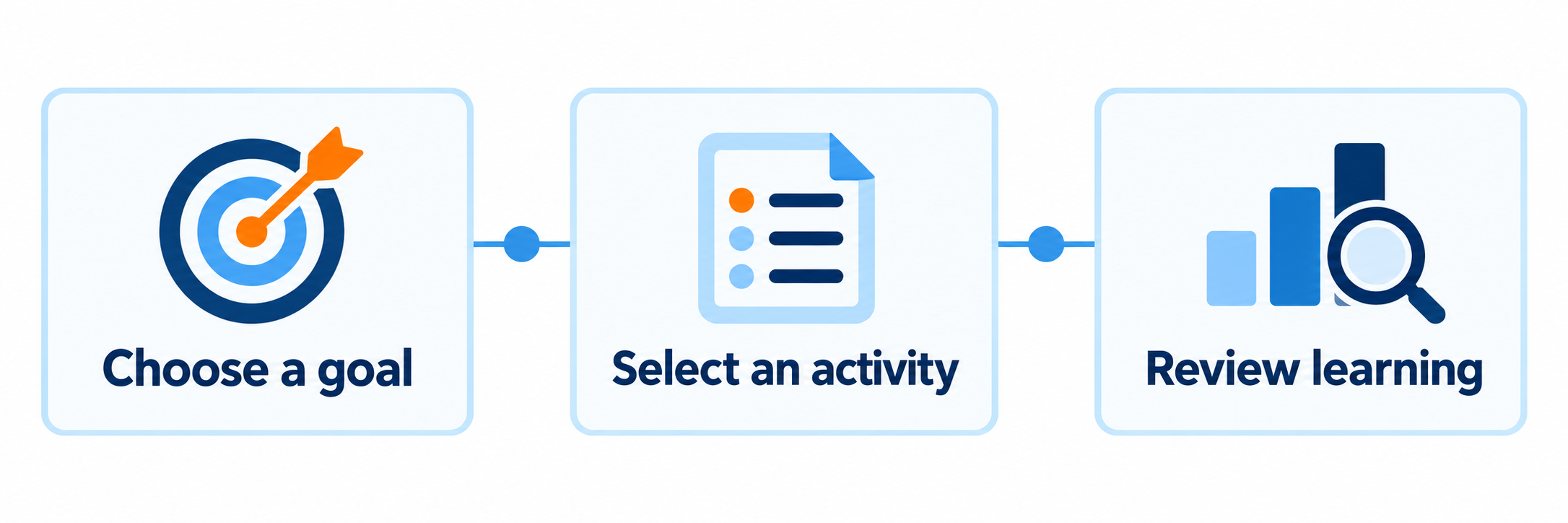
Choose the right access path, select one purposeful game, and collect evidence of learning outside the game.
ABCya is a large PreK–6 educational game library, not a rostered curriculum, assessment system, or learning management system. Children can play without providing names or contact information. The account and subscription relationship belongs to a parent, teacher, or school.
Begin with Four Questions
Who pays?
Confirm whether access comes from the public site, a family purchase, a teacher’s classroom subscription, or a school subscription.
What is the goal?
Name the skill or practice purpose before selecting a game by grade, subject, or genre.
How do students enter?
ABCya generally uses an adult-managed entitlement on permitted devices rather than individual rostered student accounts.
What proves learning?
Plan an explanation, observation, drawing, written response, or follow-up problem because play alone does not demonstrate mastery.
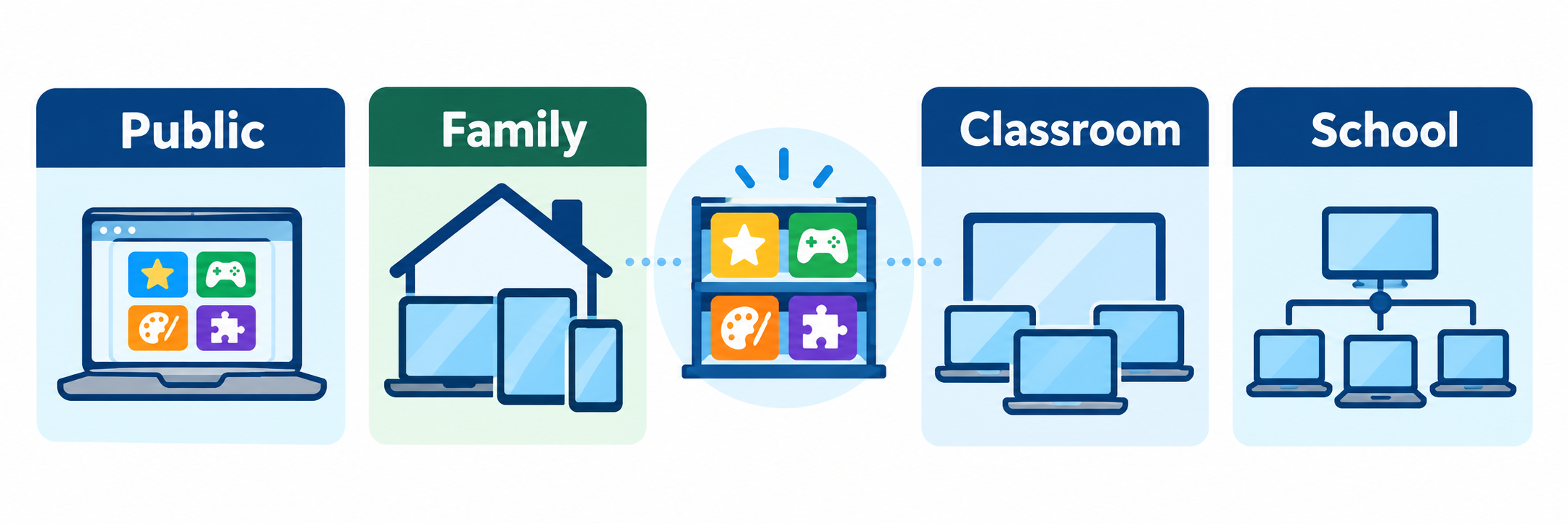
Recognize Four Access Relationships
| Access path | Current model | Operational meaning |
|---|---|---|
| Public website | Six rotating free games are identified each week; public pages may display contextual advertising. | A previously available game may require membership later. Test the exact game, browser, filter, sound, ad blocker, and student device before instruction. |
| Family membership | An adult consumer subscription with access to 300+ English and Spanish games on up to five devices. | The parent manages home access. A family purchase does not create a school license, classroom roster, teacher report, or district-managed account. |
| Classroom membership | An annual teacher-oriented subscription with access to 300+ games on up to 30 devices. | Treat it as classroom access under an adult account. Confirm the licensed teacher, approved devices, renewal owner, credential practice, and local purchasing rules. |
| School membership | An annual institutional subscription with access to 300+ games and no stated device limit for the subscribing school. | Schoolwide entitlement does not by itself establish SIS rostering, SSO, class synchronization, assignments, a gradebook, or student analytics. |
Check before purchasing personally. A teacher may begin with public access or buy a classroom subscription and later discover that the school already pays for access. Verify the active school agreement, account email, covered site, renewal date, and reimbursement policy first. Likewise, do not require families to purchase ABCya for required schoolwork.
District and Account Setup
Begin with the subscription owner and intended devices. ABCya’s light child-data model reduces roster work, but it places more responsibility on adults to manage access, content choice, evidence, and support.
Inventory existing access
- Ask the school office, technology lead, curriculum lead, library, and purchasing staff whether a classroom or school subscription already exists.
- Identify the purchaser, subscribing email, covered school, device allowance, start and renewal dates, purchase order, and support contact.
- Determine whether staff have independent family or classroom subscriptions that should remain separate, transition, or be cancelled under vendor terms.
- Use the official subscription page to verify current features and pricing; subscription details can change.
Set the right expectation
In the official materials reviewed for this guide, ABCya does not document Clever, ClassLink, SIS roster synchronization, LTI, Google Classroom assignment synchronization, individual child profiles, or teacher progress reports. Confirm any locally contracted feature with ABCya before promising it.
No roster can be an advantage. A young child can play without entering a name, email address, or student ID. The tradeoff is that ABCya does not become the system of record for who completed an activity or what the child understands.
Review privacy, advertising, and local approval
ABCya states that children generally do not need to provide names, addresses, or contact information to play. It may collect device and usage information for internal operations. Unless an ad-free subscription is active, third parties serve contextual rather than behaviorally targeted advertising.
- Review the current privacy policy, terms, payment terms, advertising behavior, mobile-app policy, contracts, and any school-specific agreement.
- Confirm whether public ad-supported use is locally approved for the intended age group and instructional setting.
- Test content filtering, cookies, pop-ups, full-screen behavior, audio, headphones, saving or printing, and ad-blocker interaction.
- Keep adult credentials under adult control; use the vendor’s supported device-access method and the district’s credential policy.
Configure adult tools
Subscribers can use favorites, a timer, fullscreen mode, and Category Control. Category Control lets an adult turn categories on or off within grade-level pages. Refresh the browser after changing categories if the page does not immediately update.
- Save only the games currently approved for instruction.
- Hide categories that do not fit the lesson or student group.
- Set a visible play period and an explicit stopping signal.
- Verify English or Spanish availability for each selected game; do not assume every game or direction is identical across languages.
Run a student-device pilot
Use the actual network, device type, browser or mobile app, student restrictions, audio route, and account state. Open the exact game, complete a round, exit, reopen it, and test the follow-up evidence. Document the supported entry route for substitutes and support staff.
Teach with One Game
Use ABCya as a short, deliberate practice environment inside a larger lesson. The teacher provides the learning target, modeling, stopping point, discussion, and evidence that the game does not supply.
Name the target first
Write one observable goal such as “identify uppercase and lowercase letter pairs,” “represent addition within 20,” or “use home-row keys with increasing accuracy.” Decide what a student must say, show, draw, write, or solve afterward.
Find and inspect the game
Browse by grade and subject, then open Educator Info. Many current game pages identify practiced skills, recommended grades, a game description, a suggested warm-up, related games, and a suggested follow-up.
- Check whether the mechanics match the intended skill rather than merely sharing its topic.
- Look for reading, audio, motor, language, timing, visual, and background-knowledge demands.
- Confirm whether the game is free this week or requires the active membership.
- Play far enough to encounter feedback, level changes, distractions, saving or printing, and the end state.
Build the complete learning sequence
| Phase | Teacher action | Useful evidence |
|---|---|---|
| Warm up | Activate the exact concept, vocabulary, or representation students will need. | A quick response reveals whether students understand the directions and prerequisite idea. |
| Model | Demonstrate controls and one example while thinking aloud about the learning, not simply the clicks. | Students can explain what to notice and what to do when uncertain. |
| Focused play | Name the game, mode, level, time limit, stopping point, partner role, and what students should notice. | Teacher observation captures strategy, misconception, independence, and productive language. |
| Show learning | Ask students to explain, draw, sort, write, solve a new item, or demonstrate the skill away from the game. | The response shows what the student can transfer beyond the game’s prompts. |
| Respond | Reteach, change the game or level, provide another representation, or move the student to a new task. | The next instructional decision follows actual student thinking rather than minutes played. |
Give a precise launch direction
Post or say the exact game title, grade page, subject, mode, level, play time, stopping point, volume expectation, partner arrangement, and required follow-up. A generic direction such as “Go to ABCya” sends students into a large library with uneven instructional relevance.
Monitor learning rather than screen compliance
Listen for strategy and vocabulary, ask students why they selected an answer, and record common errors. A child may appear engaged while guessing, repeating a memorized click pattern, choosing a recreational game, or working below the intended level.
Completion is not mastery. ABCya may provide immediate game feedback, but an observation, conversation, work sample, or new problem is still needed to determine what a student learned.
Connect Home and School
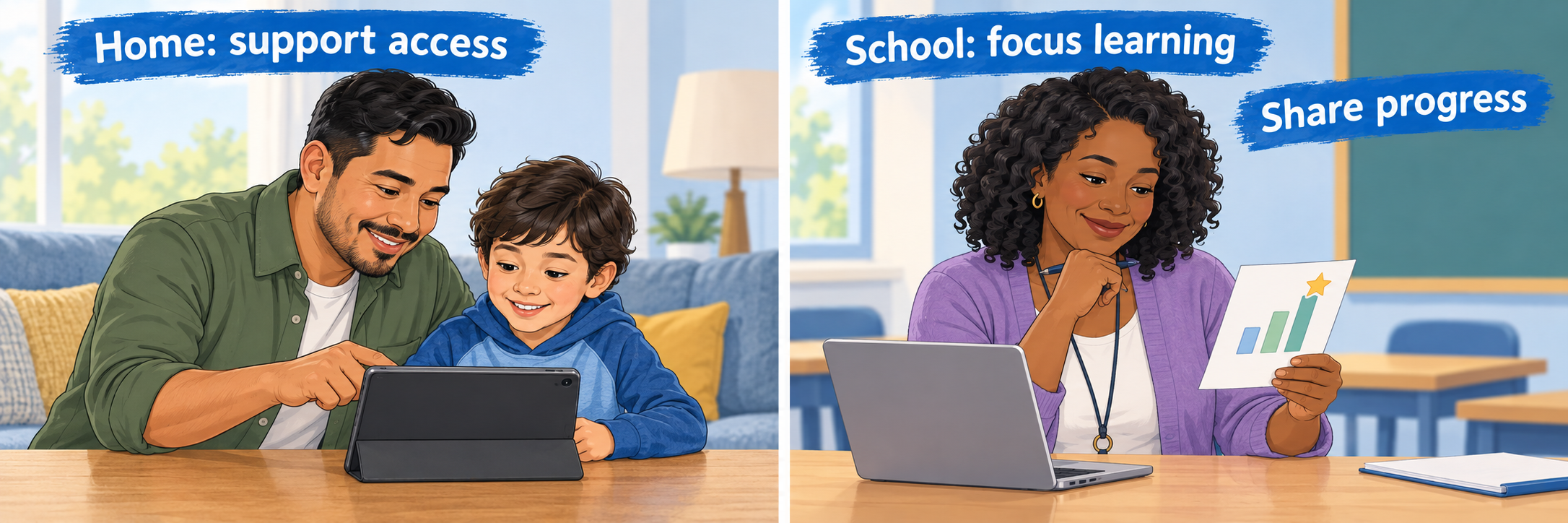
ABCya’s strong family presence can support practice, but parent purchases and school instruction remain separate. Communicate the learning purpose and access condition clearly.
Separate the adult roles
Tell families whether the activity is optional or required
If practice is optional, say so. If it is required, provide school-funded access and a workable alternative for families without the necessary membership, device, connection, time, language access, or adult availability.
A television advertisement is not a school license. Marketing may make the service familiar, but it does not identify the district’s approved plan, covered devices, privacy review, instructional purpose, or current free-game availability.
Send a complete home recommendation
- Give the exact game title and direct link rather than the ABCya homepage alone.
- Name the skill, suggested play time, language, mode or level, and stopping point.
- State whether the game is currently free, included in school access, or may require a family membership.
- Suggest one short adult prompt: “How did you know?” “Show another way,” or “Teach me the strategy.”
- Explain what, if anything, should return to school. Do not ask parents to report a score that the game does not generate reliably.
Use Spanish access deliberately
ABCya provides a Spanish-language collection, and current membership information describes access to English and Spanish games. Preview the specific Spanish activity for vocabulary, directions, audio, cultural fit, grade recommendation, and alignment with the intended skill. A Spanish interface does not automatically make every activity appropriate language instruction.
Keep account and learning records separate
A parent’s family subscription belongs to the family. Do not ask for the parent’s password, assume a home purchase can be transferred to school, or promise that home activity will appear for the teacher. Record any required school evidence in the district’s approved classroom, assessment, portfolio, or communication system.
Resolve the Actual Problem
| What you notice | Check first |
|---|---|
| A familiar game now says “Join to play” | Current Free Games of the Week, active subscription, signed-in adult account, covered device, and whether the teacher selected a membership-only game. |
| The game area is blank or does not load | Supported browser or app, page refresh, network filter, cookies, JavaScript, ad blocker, extensions, device restrictions, and whether the game is still available. |
| The teacher subscribed but students cannot use every device | Family versus Classroom plan, current device allowance, account state, simultaneous use, supported device method, subscription email, and school credential policy. |
| The school pays, but a teacher sees public access | Correct adult account, school coverage, subscription status, renewal, purchase completion, device authorization, and ABCya support or purchasing records. |
| Students cannot find the assigned game | Exact title and direct link, language site, grade page, category setting, spelling, free-versus-member status, and whether Category Control hid the relevant category. |
| Sound is missing or disruptive | Device volume, browser permission, mute state, headphones, accessibility needs, shared-space expectations, and whether audio is essential to the learning target. |
| The teacher cannot see student progress | ABCya does not present itself as a rostered progress-monitoring system. Use observation, conversation, work samples, or a locally approved assessment and record the evidence elsewhere. |
| A family says the recommended game requires payment | Whether free availability rotated, whether the link opens the correct game, whether school access extends home, and what no-cost alternative the school will provide. |
Good ABCya Habits
Check the plan
Know who owns the subscription, which site it covers, and how many devices may use it before paying or training.
Choose one goal
Start from a precise skill and inspect Educator Info before sending students into the library.
Preview the experience
Test access, ads, sound, controls, language, difficulty, feedback, and the stopping point on a student device.
Collect real evidence
Ask students to explain, demonstrate, draw, write, or solve something that reveals what they understand.
Official ABCya Resources
Access, pricing, free-game availability, device allowances, features, advertising, and interfaces may change. Confirm current behavior in official materials and the active local subscription.
2026–27 edition. Official ABCya overview, game, subscription, FAQ, privacy, standards, Spanish-language, and support materials reviewed September 13, 2026. ABCya is a division of IXL Learning. Plans, prices, free-game rotation, device allowances, advertising, language availability, mobile capabilities, tools, privacy practices, and interfaces may change. The absence of documented roster, SSO, LMS, or progress-reporting features in the materials reviewed should be rechecked against any current school contract. Conceptual illustrations are SDLA material.